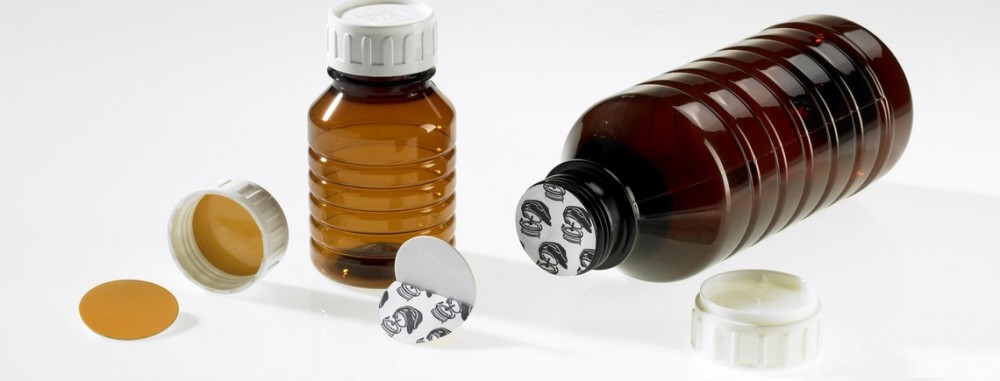
The SealerOn™ 3000 is typically rated for Flat Caps of Diameter 20 mm to 120 mm traveling on a conveyor at speeds up to 20 Meters (60 Ft) per minute. The Actual Speed needs to be determined with the Cap, Lining Material and Bottle combination to hand. The Standard frame Allows the Sealing Head to be […]
Monthly Archives: July 2017
Induction Sealing Statistics – How You Must Get The Right Cap and Lining Material Combinations
This discussion below is an excerpt of a client discussion we have prior to supplying equipment. We don’t have to do this; we could be like the ebay or Alibaba or “one stop every machine under the sun supplier” but we are not as we like to think of ourselves as a supplier invited to […]
1″ Solution
This week something happened that makes me want to “blow our own horn”. Maybe we’re boasting, but I’m very happy by how we supported a client this week. Let me tell you more.
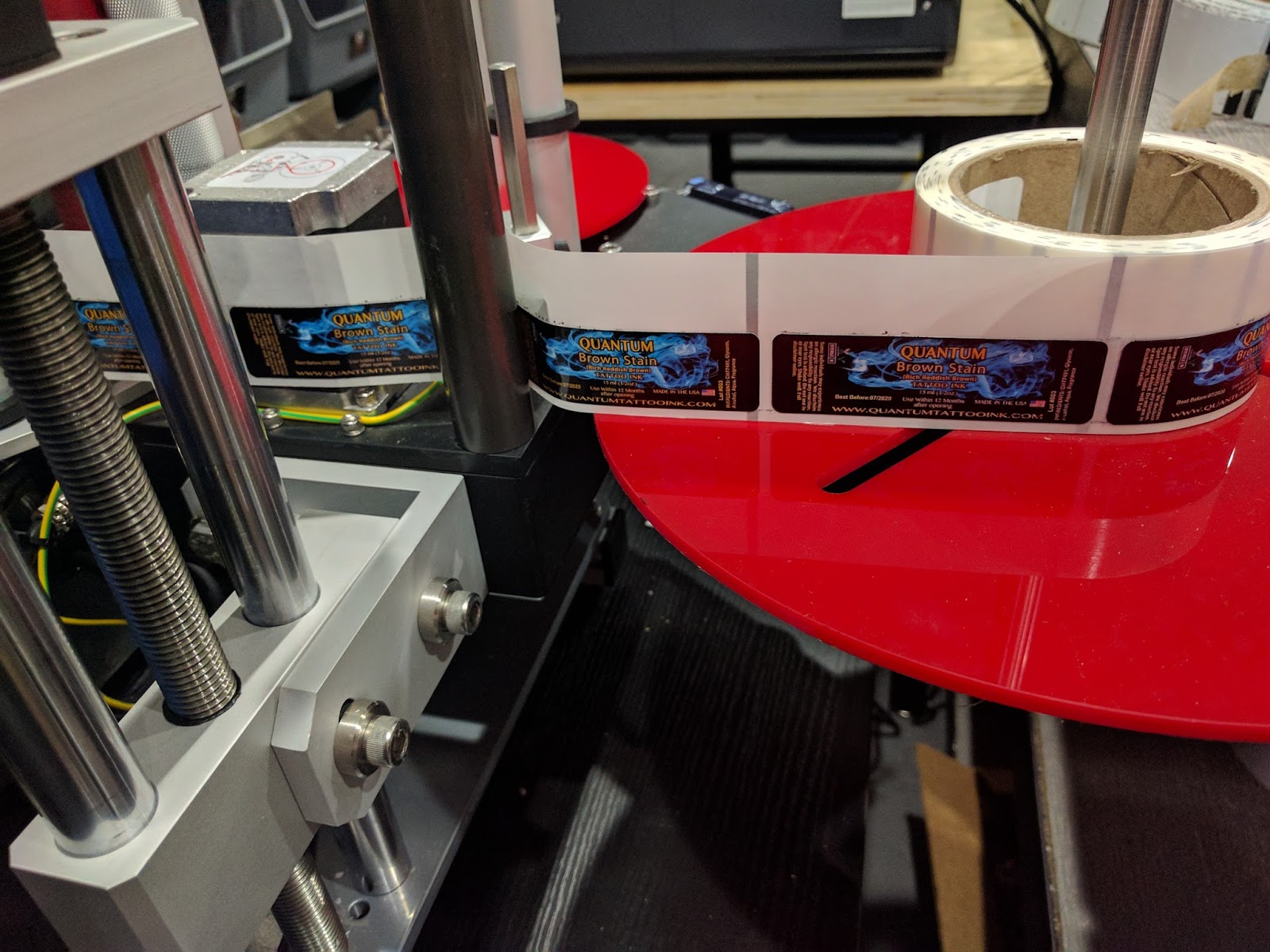 |
| 1″ Labels-Print & Apply |
We’ve been selling to several customers 1” wide labels for printing with the C7500 and C7500G. What makes this fact interesting is the minimum print width on the C7500G is 2”. Please see this post for more information:
For this customer, we created a 1” label centered on a 2” liner. And it worked perfectly.
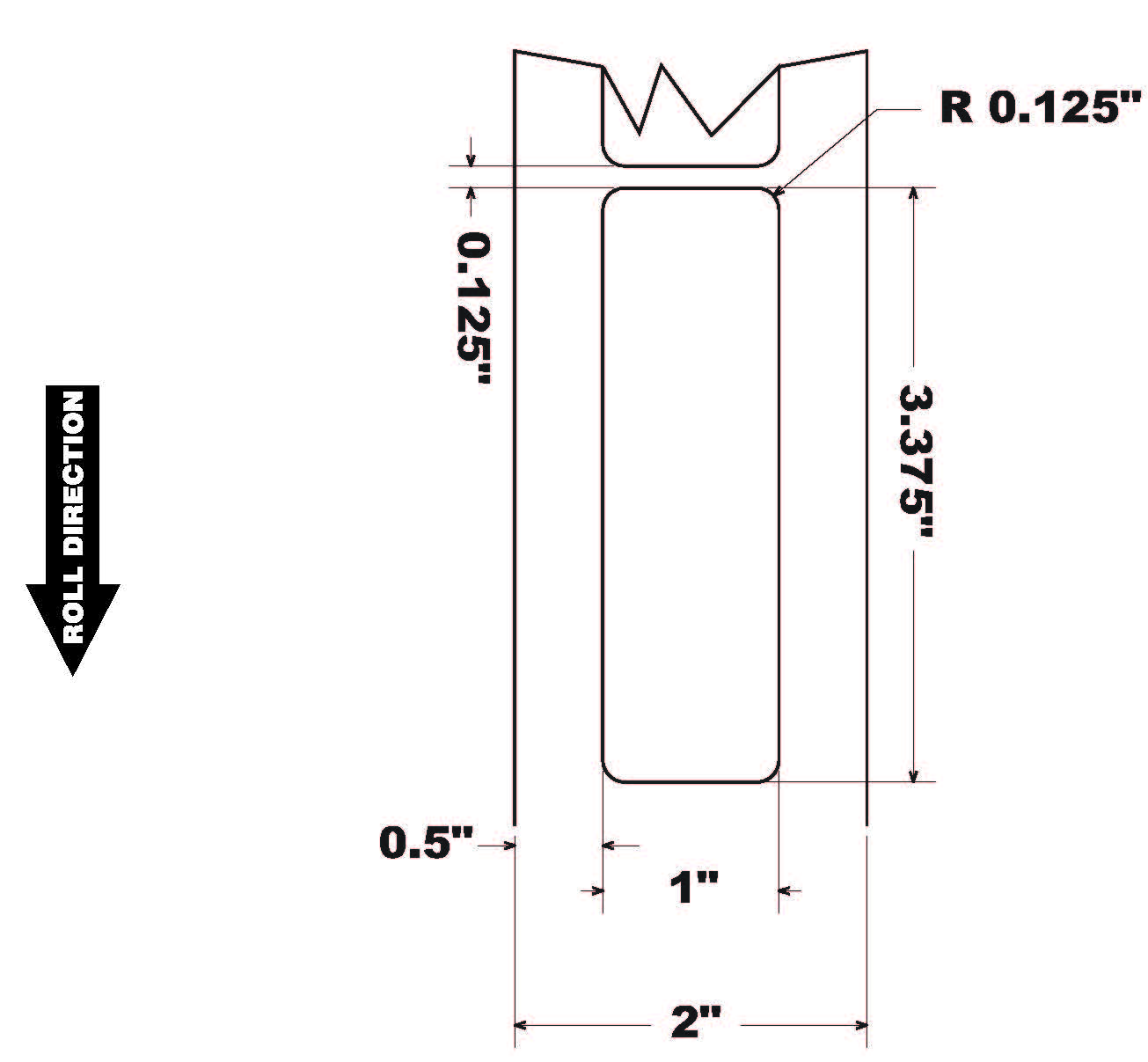 |
| 1″ Wide Label-2″ Total Construction |
In addition, this customer uses basically all black artwork. And black is the most difficult color by far. Here is what we’re recommending for all black labels:
After several months, the customer purchased an automatic label applicator from Label-On; The Label-On Mini 500 Tabletop applicator:
This applicator, however, would not allow us to account for the .5” liner on the “bottom” side of the label. Normally, exposed liners are approximately only 3 mm or less. Attempting to apply the 1” labels centered, we would have place them above the start of the taper on the bottle. Therefore we had to move the label from the center.
To make this change, we changed the die to make the labels, placing it on one side; and making the exposed liner basically on 1 side.
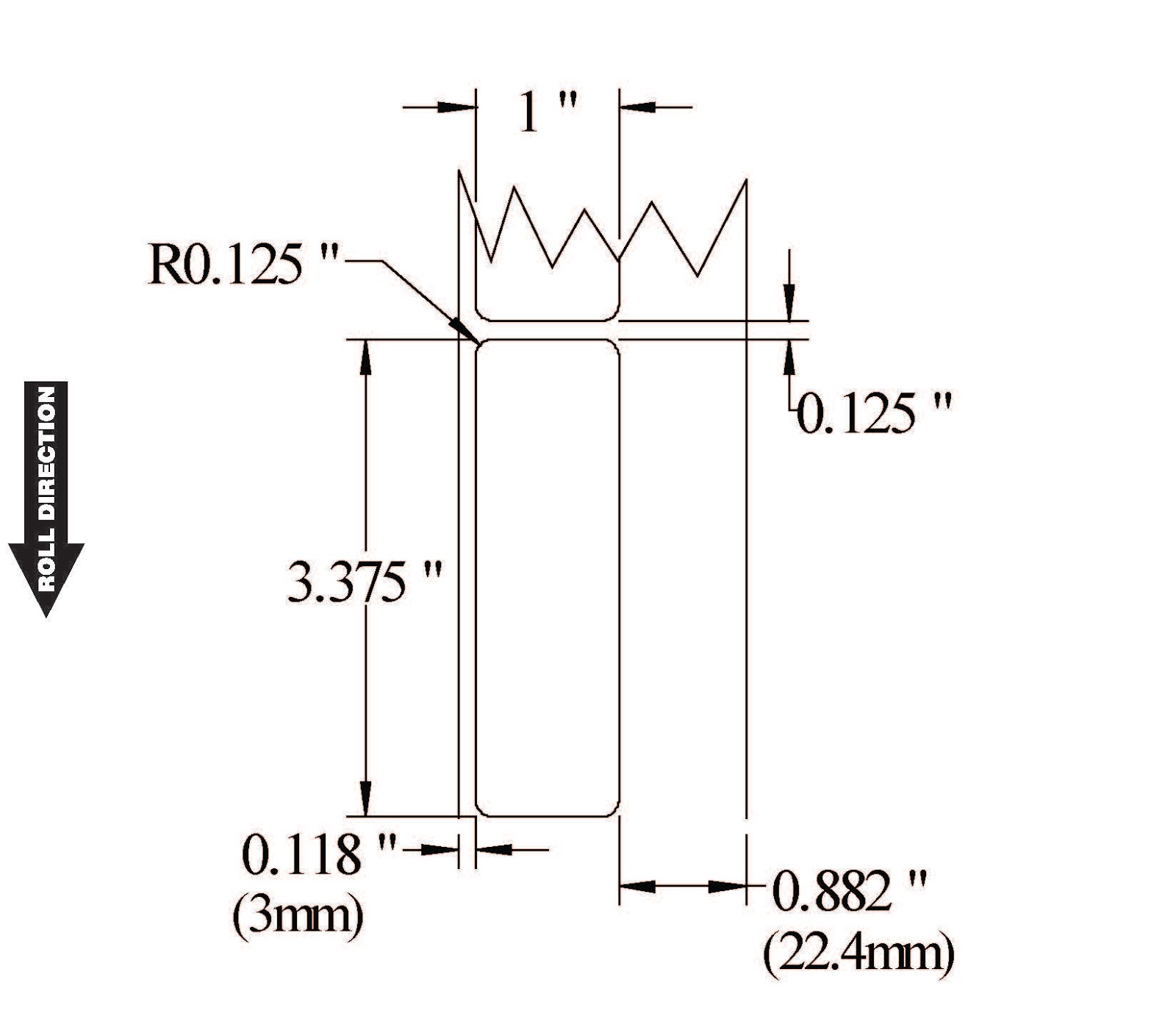 |
| 1″ Wide Label-One Side Justified |
It was very difficult to come to agreement, however, on which side to place the label. We had to account not only for the applicator placement of the label, but also the fact the labels would be rewound to place on the applicator. It may not sound complex, but this requirement led to a great deal of discussion. And some worry on my part.
Once the labels were manufactured, our customer tested them; and found the labels did not print at all correct. They were still centered on the 2” label. Frankly, I had forgotten to tell the customer of the need to redo the artwork. Tim, our Support Manager, figured this out quickly. But was still “nerve-wracking” for me.
To support our customer, we quickly recreated labels the labels adding the extra liner and bleed.
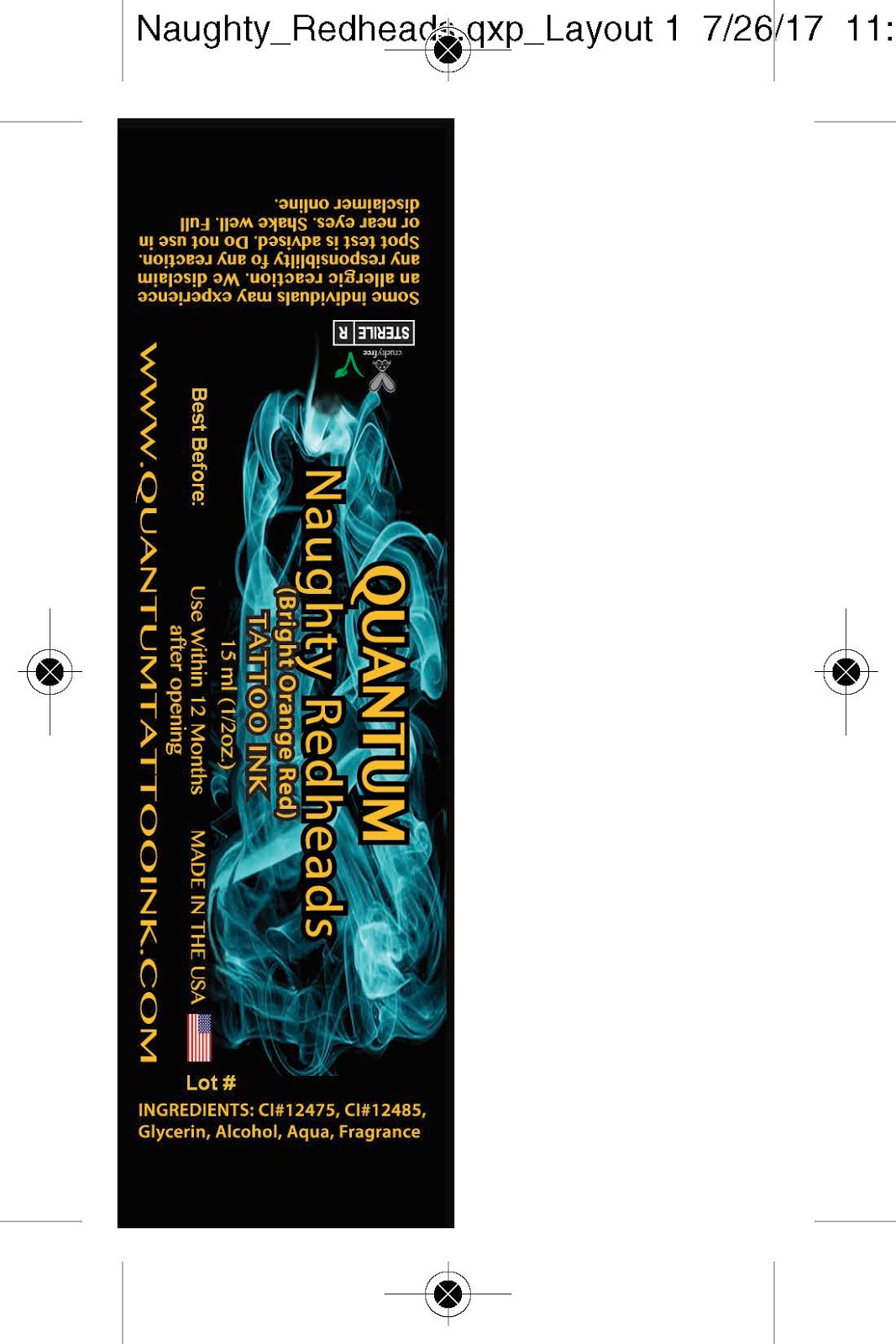 |
| 1″ Wide Label PDF- 2″ Total Construction |
Once we had the new artwork, the label printed close to perfect; we had to move horizontally the label to print full-bleed. A slim line of white was exposed on one side. Using the horizontal alignment feature in the C7500G driver and changing slightly the media size, the label printed perfectly. And the rewinder worked as expected. Watch us print and rewind here:
More important to me, the label worked on the applicator:
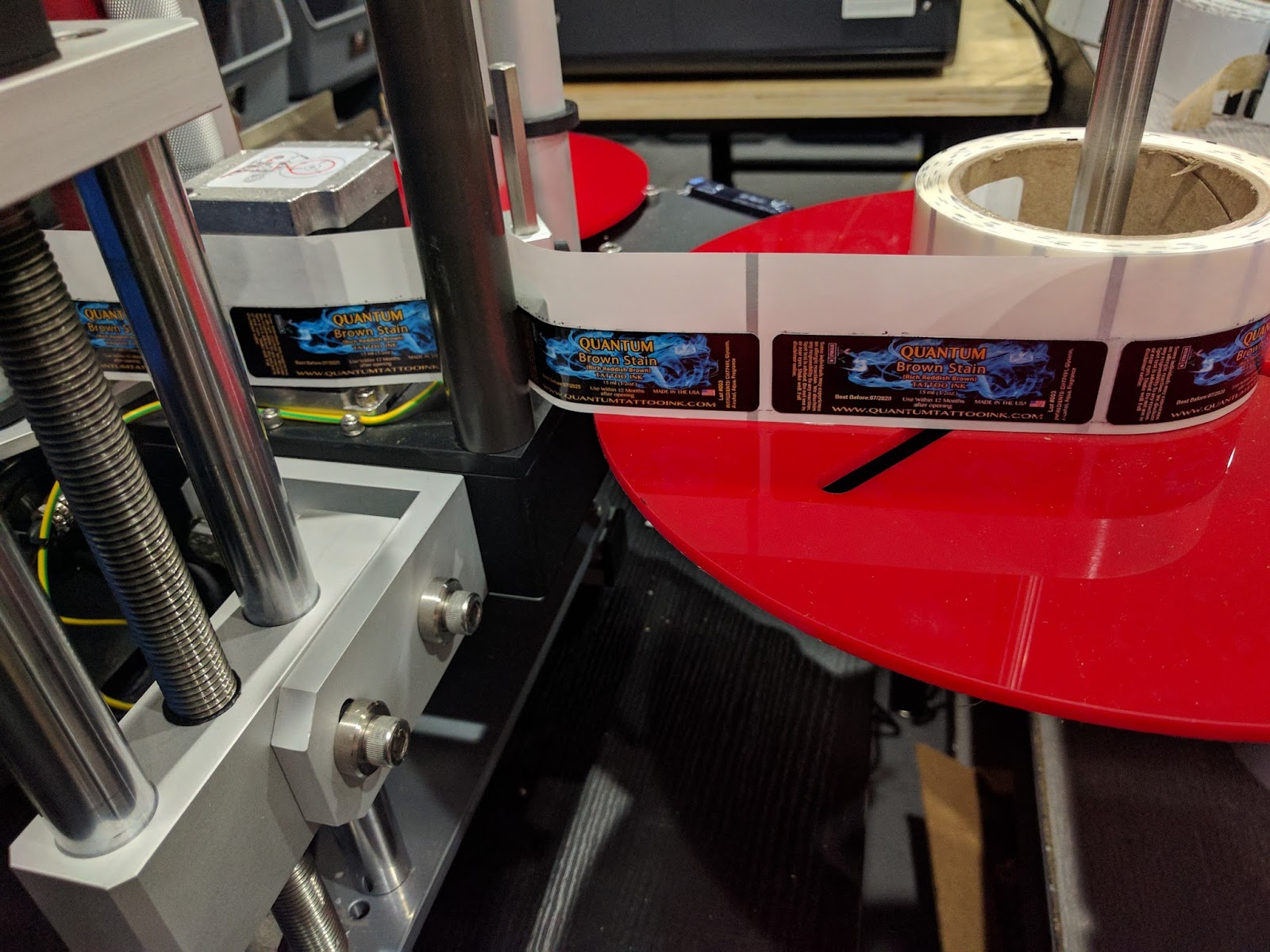 |
| C7500G Printed 1″ Wide Label Applied By Applicator |
Watch the Mini 500 Tabletop apply these 1” labels onto the bottle perfectly.
Reading this post, it may not sound like much. But getting this label design to work correctly was a lot of effort. And I appreciate the patience the customer showed during this process.
If you want to print 1” wide labels or any other difficult or special color labels on-demand, contact us. We’ll help you create the solution that meets your requirements.
Guy Mikel
855-962-7670
“Hot” Labels
Burn Hot Sauce (www.burnhotsauce.com) is an original, small batch, farmer and chef-owned business in Santa Cruz, California. All of their produce is grown on organic farms; and is raw, alive and full of probiotics. Their single-origin fermented hot sauces age for months, highlighting the farm on every bottle; and are made with love. To learn more: http://ediblemontereybay.com/online-magazine/winter-2016/edible-artisans-burn-hot-sauce/
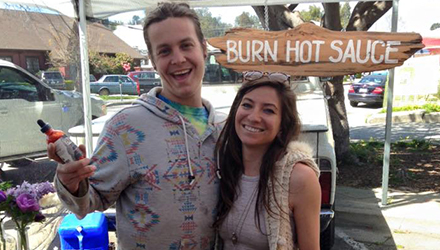
When asked about their interest in printing color labels on-demand, Chase Atkins and Amada Pargh, owners of Burn Hot Sauce, said, “We like the ability to modify our label designs at any time; which helps us conserve media. In addition, we wanted to print labels ourselves to save time. It takes a lot of time to purchase and use preprinted labels.”
After trading a few emails, Amanda and Chase sent me a PDF of their labels.
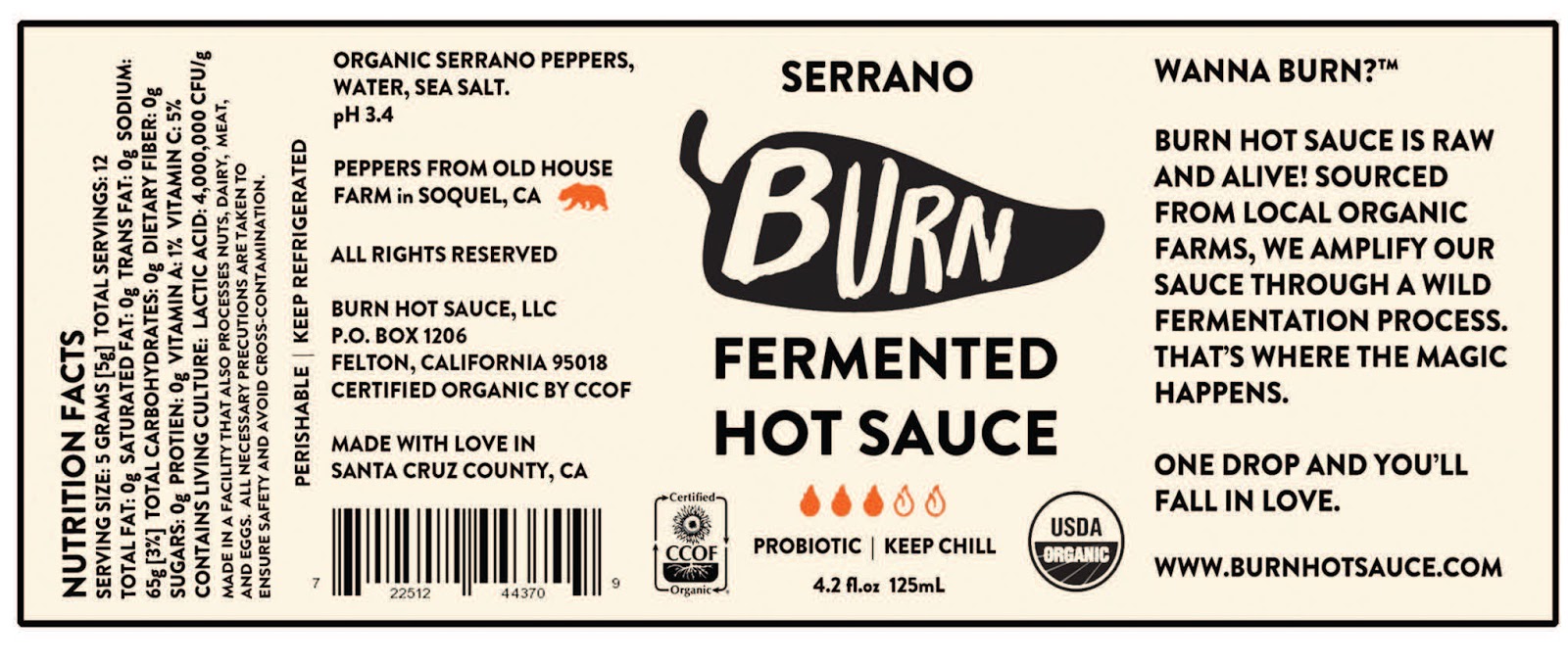 |
| Burn Hot Sauce Label |
I printed from the C7500 and sent print samples of their labels to them to review. As I did not have the correct size of label, it was difficult to impossible to print full bleed. But the label print quality was good.
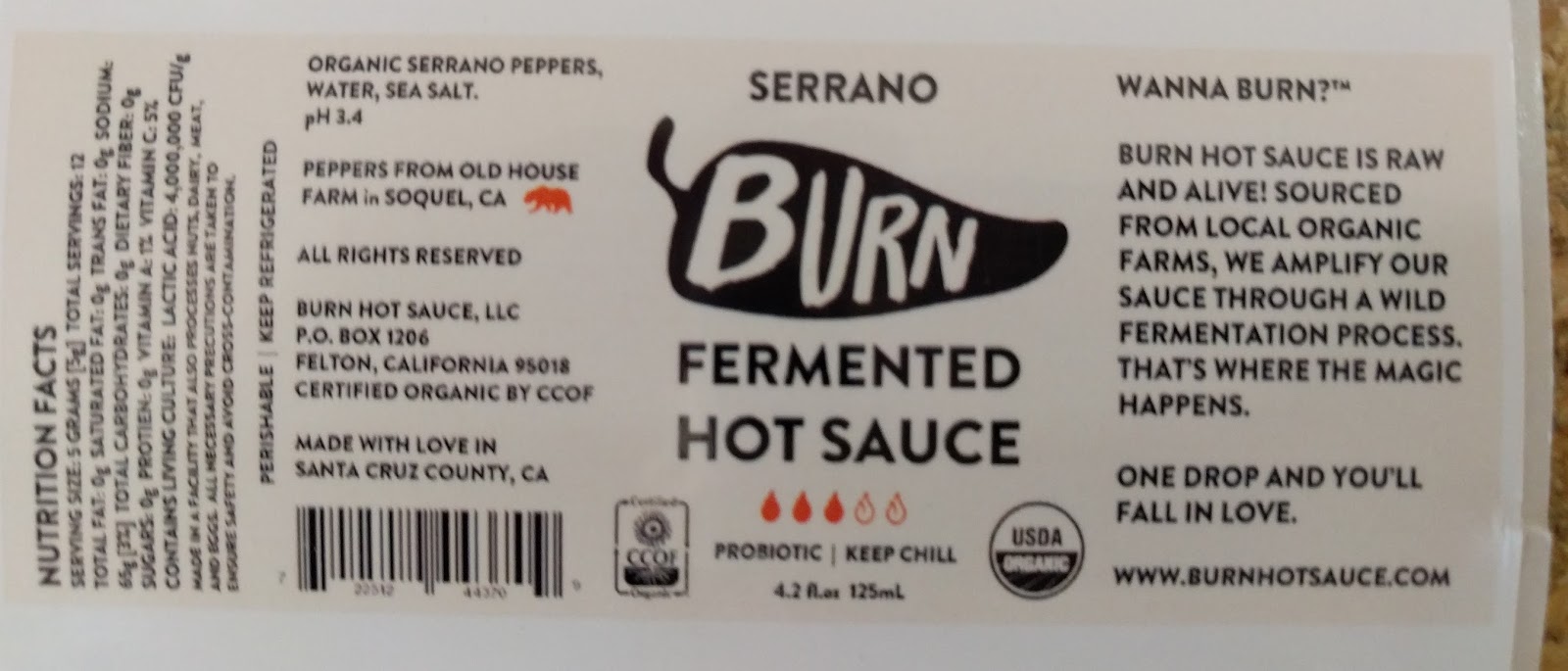 |
| C7500 Label Print |
However, I sent them only paper as I did not understand their requirement for waterproof labels.
Once Amanda and Chase received the labels, they wrote, “Unfortunately we will not be buying an C7500 printer since it does not suit our needs. The gloss paper disintegrates in water”. In addition, Amanda and Chase were MAC users. Initially, they did not want to use a printer with no MAC printing capabilities. If you want to print labels from your MAC computer, read this post from our Tech Support Manager Tim: http://colorlabelsondemand.blogspot.com/2016/02/printing-from-epson-label-printers.html
After receiving this email, I sent them another set of samples from the C7500 on matte poly labels. Our matte poly labels are very durable, waterproof and chemical resistant. If you search “GHS” on our blog, you will see many posts on labels for GHS.
After testing the poly labels, Amanda and Chase purchased a C7500 and 2.5” x 6” labels and started printing!
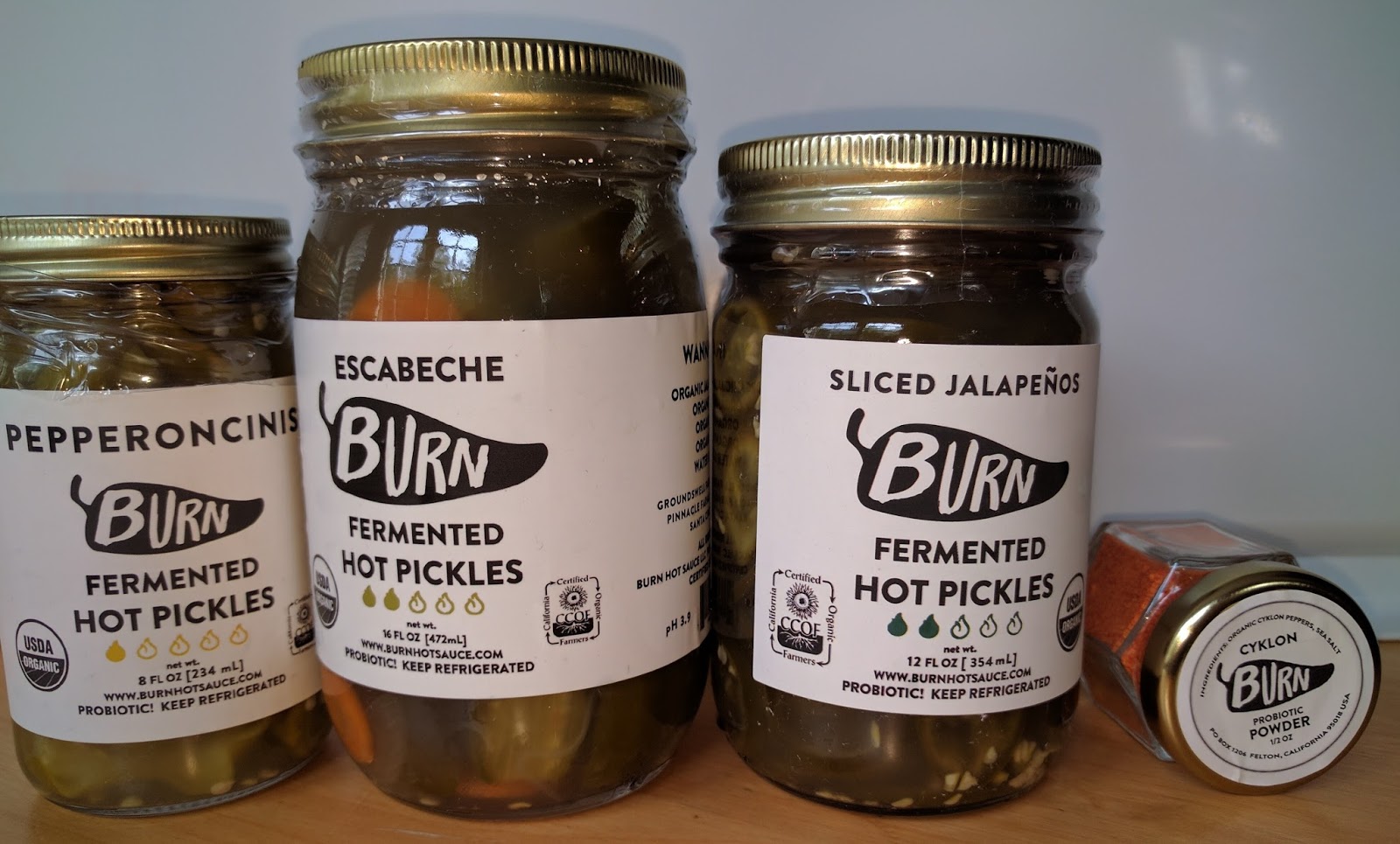 |
| C7500 Printed Labels |
According to Amanda and Chase, “we like the C7500 color label printer. This printer has great print quality and speed; and enables the use of a variety of label media.”
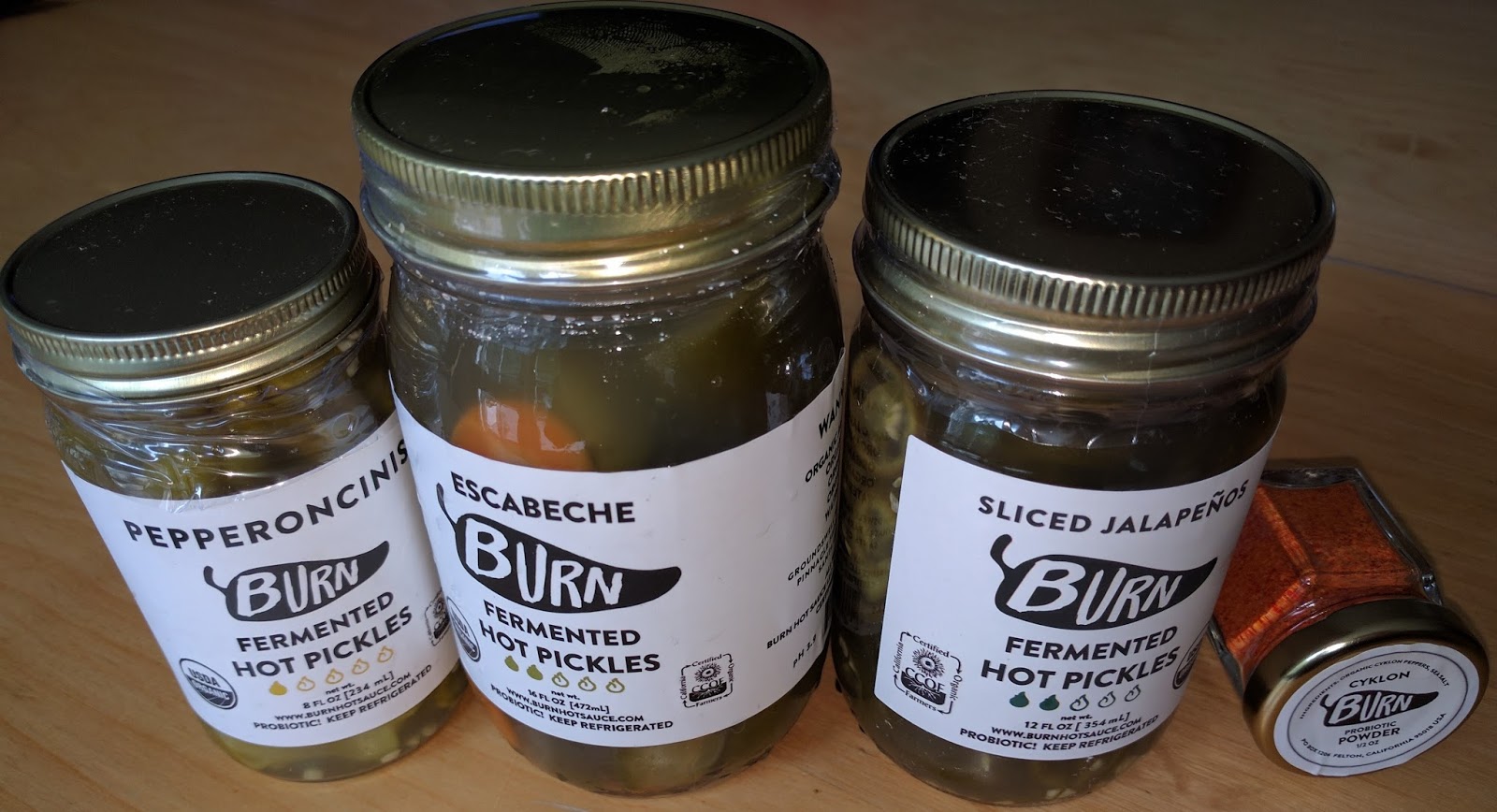 |
| Burn Hot Sauce Labels |
Since receiving Burn Hot Sauces pickles, I can vouch that they are Spicy; and Good!
Also, I found the Cyklon Probiotic Powder a very interesting product. I look forward to finding a new interesting way to use the powder.
Now producing their own labels, Burn Hot Sauce will start printing for other local food manufacturers. Chase will begin printing labels for two other food companies shortly; with customized label sizes from us.
We enjoy working with food manufacturers like Burn Hot Sauce; producing unique, specialty products. Our print on-demand color label systems fit their requirements well; and we get to try great tasting food! Contact us if we can help with your custom labels.
Guy Mikel
855-962-7670
Edible Love
Love’s Oven (www.lovesoven.com) products are produced with the highest quality all-natural ingredients that are sourced locally (Colorado beet sugar) and organically (organic coconut oil) whenever possible. Their proprietary THC & CBD extraction methods ensure that you receive a consistent and effective dose of cannabutter/cannaoil Love in every bite.
Love’s Oven was born in 2009 with a promise to its patients to provide great tasting cleanly extracted products to help with their chronic pain and other ailments. If you look at the label of any of their 15+ products you’ll never find any ingredients that you need to have a chemical engineering degree to pronounce. Ingredients like crystallized ginger and honey roasted peanut butter are about as complicated as it gets. Love’s Oven has built its reputation by crafting their products in a state of the art facility in Denver where their food safety and quality assurance programs guarantee you’ll receive a potent and delicious product that can be found throughout Colorado.
In the fall of 2016, Colorado issued new label requirements that caused Love’s Oven to change their labeling procedures. According to Katie Wrank, Administrative Assistant & Marketing, “Colorado mandated that we add the Universal THC Symbol, in various sizes and colors, to each label for both medical and recreation use. At the time, we were using a black only, DataMax thermal transfer printer adding variable data on top of five different preprinted labels in conjunction to printing some on a laser printer. This process was very frustrating and time consuming. We had to make a change.”
Katie says, “While growing significantly, we needed an efficient and improved process to label our products. Prior to any changes, our work flow was to extract label information from the daily production list, transfer the production numbers and product information manually to the packaging order, and then type everything by hand onto our label templates. With over eighty-eight label templates requiring daily changes, our label process was at risk for human error. Plus, all these changes were too much for one person to manage.”
To change their label process, Love’s Oven contacted Rich Arbogast of Sendata Systems, (www.sendatasystems.com). As a partner of Color Label Solutions, Rich contacted us to see if we have a solution for Love’s Oven. Rich said, “Sendata are experts at managing data and thermal transfer printers. But decided to work with Color Label Solutions to bring the best possible print on-demand color label system for our customer, Love’s Oven.
To start the process, we printed sample labels on the C7500G. We recommended this printer given their need for a large volume of gloss labels.
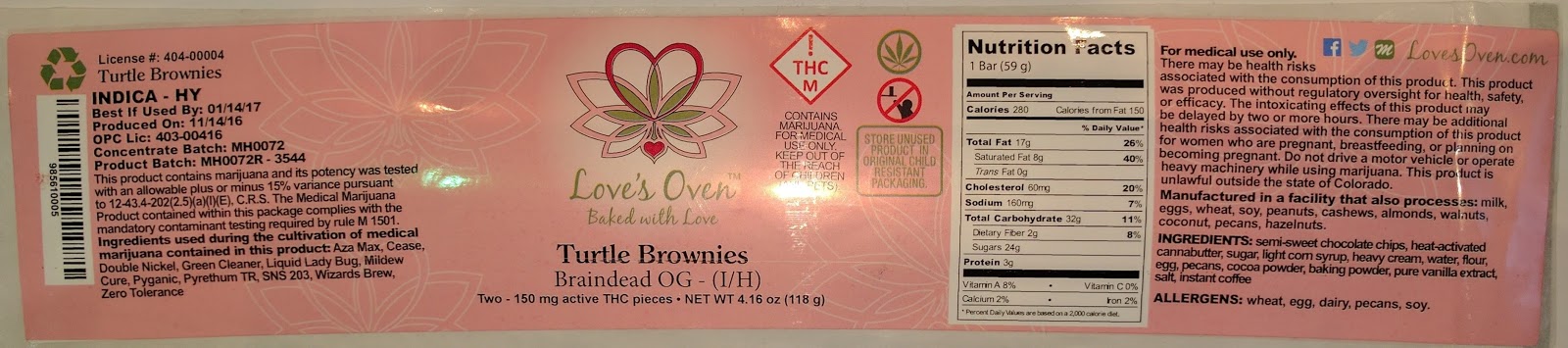 |
| Love’s Oven C7500G Full-Bleed Label |
In addition, we provided an estimated ink cost of their labels.
 |
| C7500G Estimated Ink Yield |
On these long, full-bleed labels, I estimated the ink cost at $0.027 per label. Based on the samples and estimated ink costs, Love’s Oven purchased a C7500G printer.
About the C7500G, Katie says, “We now have the ability to print on demand labels quickly and efficiently. We also have the design flexibility to change our graphics on a moment’s notice. Many of our customers love to see their logo printed in full color on products that contain their trim or flower.”
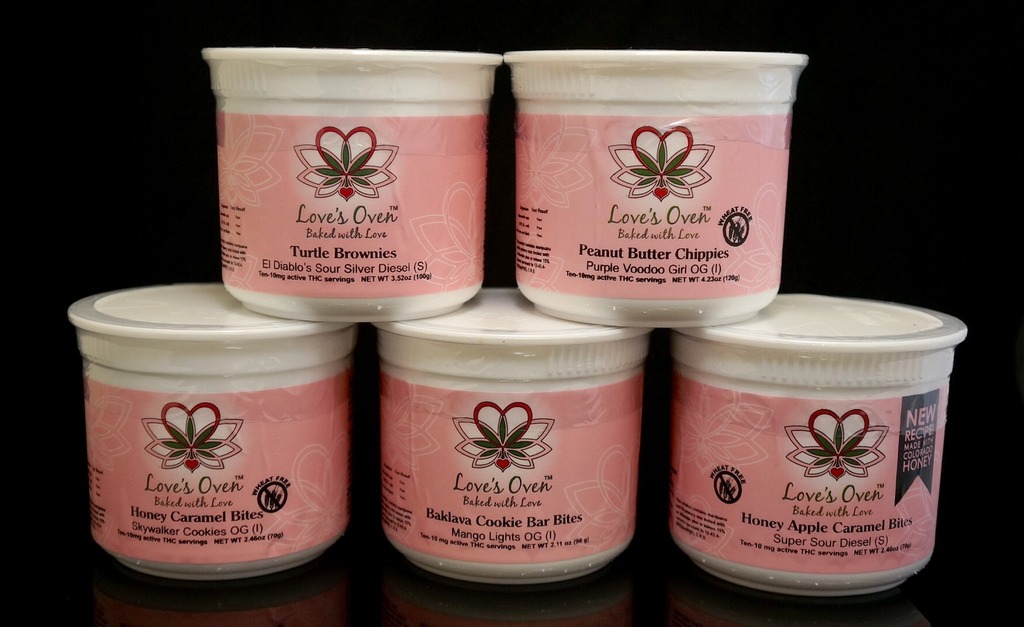
While working with Love’s Oven, I learned about their new label creation process. Katie says, “to improve our labeling process, I decided to use a mail merge technic that I used in a former position at a large shipping and printing company. In Excel, I created a database of our products, including all the variable information: product name, ingredients, allergens, net weight, and pieces per package. This database allows us to quickly update product information such as changes to a recipe. On another tab in the Excel database, we retain information about the ingredients used during the cultivation of the marijuana, which are required by the state of Colorado. By using the VLOOKUP command in Excel, we pull information pertaining to each product, automating the data input on the production list.”
“Once we have the products compiled in one list, we use Adobe InDesign to merge the data with our artwork onto the backgrounds of our label templates. With this workflow, we can export all our labels from one file as separate PDF files which print like a dream on the C7500G.”
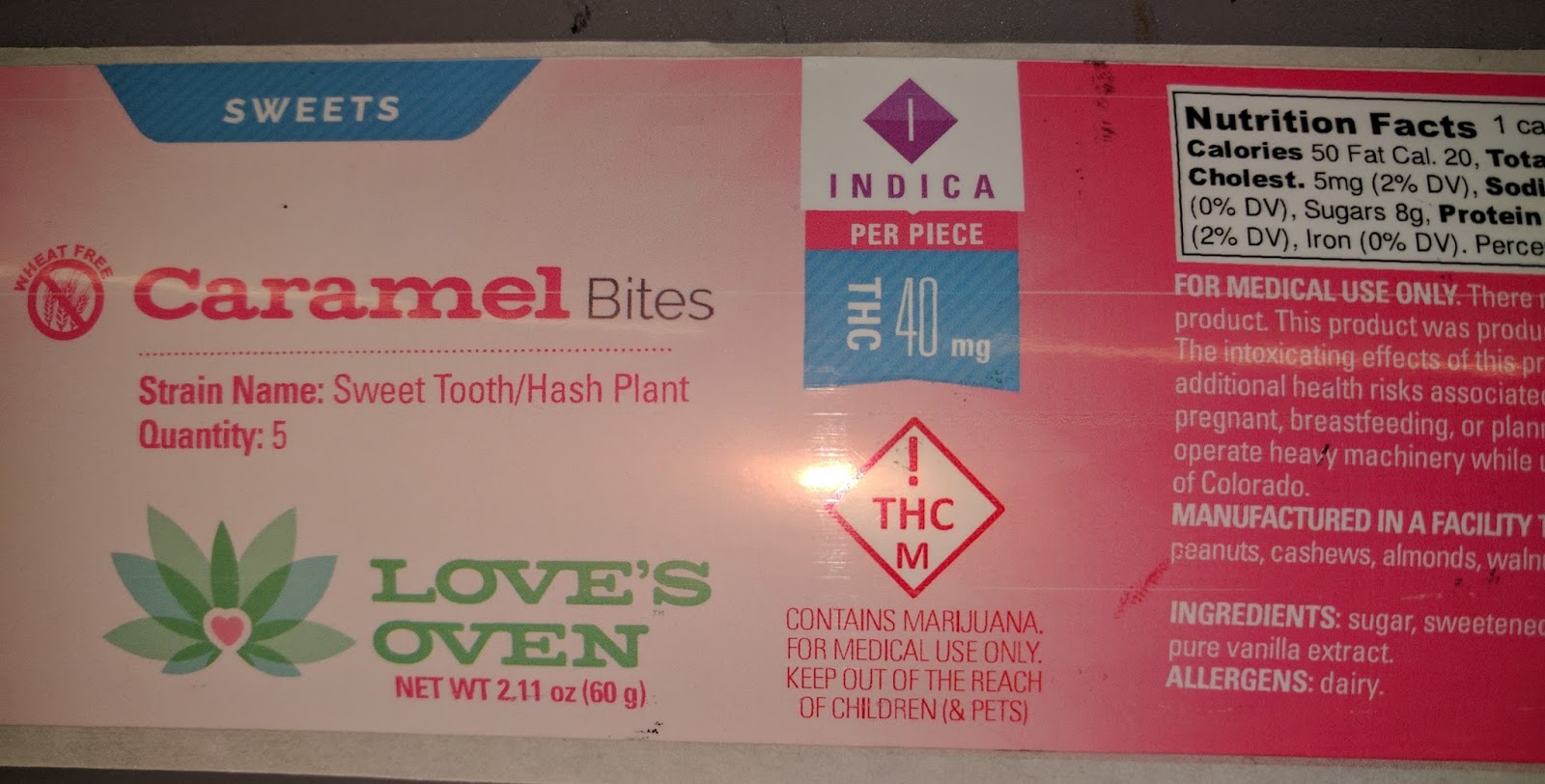 |
| C7500G Label |
One other interesting note, Rich has worked to help Love’s Oven to print THC symbols on their brownies using white, food-grade ink. What a great solution Rich put together for Love’s Oven.
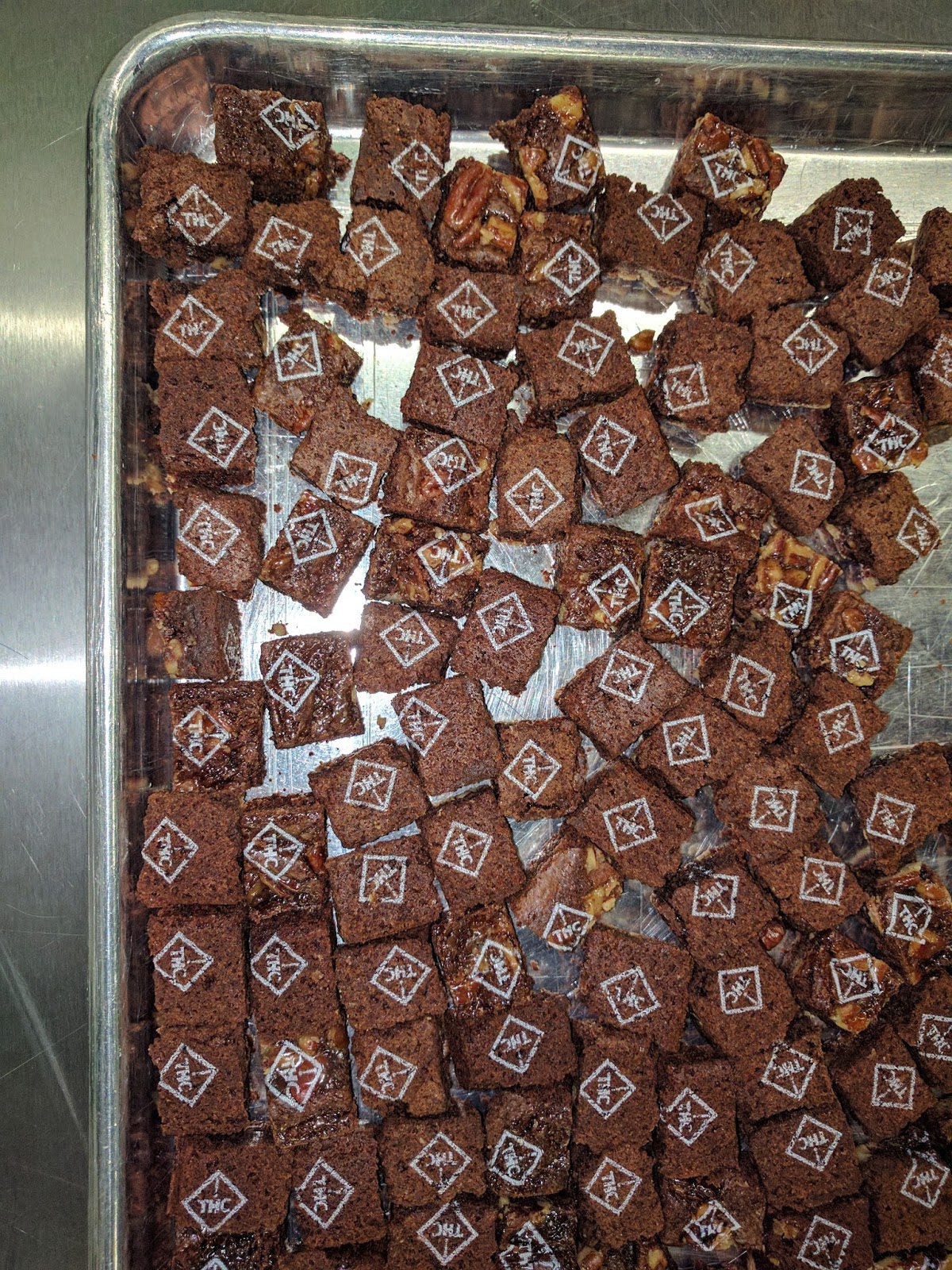 |
| Edible Ink Printed Brownies |
“With the constantly changing Cannabis labeling/direct marketing laws and regulations required by the State of Colorado, providing the best solution to these requirements was our goal. I believe we hit the mark with the C7500G printer for the packaging labels and direct marking food grade inkjet coder for applying the mark directly to the edible products. These products are the only ones I know that can print with the quality needed for the labels, and the food grade ink for the direct marking of the edible food cannabis products.”
We’re excited by the success at Love’s Oven. If you need a new labeling solution for your cannabis or any other products, contact Color Label Solutions. We’ll help you meet the regulatory requirements of your industry; and produce beautiful labels in the process.
Guy Mikel
855-962-7670
On-Demand Color Mattress Tags-Labels
The story of Pleasant Mattress Inc. stretches back to the throes of World War II, when the original Morgensterns immigrated from Vienna to the United States and cobbled together a new life. Today, Pleasant Mattress continues their tradition of resourcefulness and forward-thinking. Their success rests on the synergy between father and son. Generation after generation, Morgenstern sons have taken inspiration from their fathers, each one building on the tradition of the last. As Isaac Newton said, the secret to success is standing on the shoulders of giants.
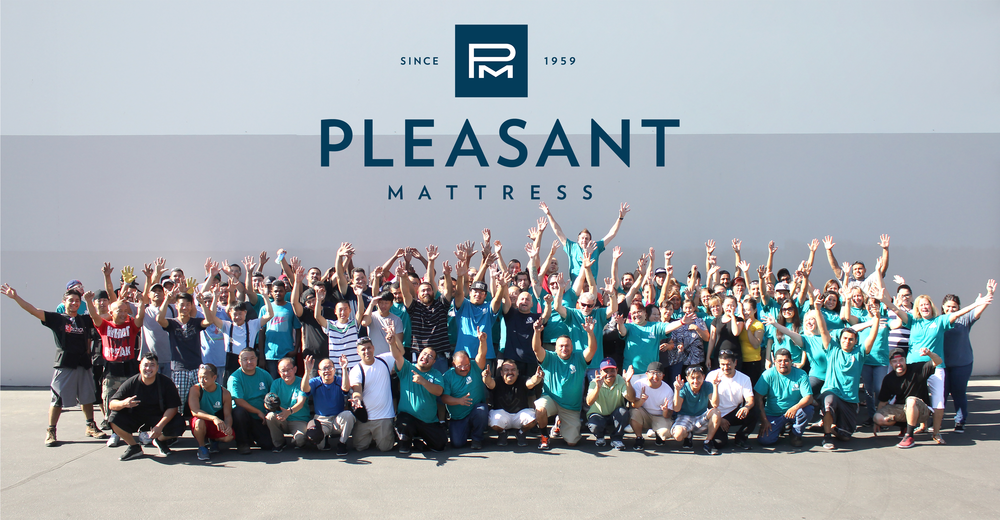
Pleasant Mattress manufactures following product lines in their plant in Fresno, California:
● Chattam & Wells-the first Californian Born luxury mattress. Each Chattam & Wells luxury mattress is made in the USA by people who believe their job is to create a mattress that provides the foundation for a healthy life.
● MAXX-Ingeniously over-engineered for years of support. MAXX takes cues from traditional high-end mattress crafting; employing proven and durable coil engineering.
● Spring Air- the standard for quality mattressesand sleep systems. A great night’s sleep starts with a mattress that can both support the body and relieve pressure where it is needed most. Spring Air Back Supporter mattresses do just that, with patented designs and innovations that are unmatched by any other bedding company.
● Eclipse-makes a difference in the sleep health of their customers through handcrafting the highest quality sleep products.
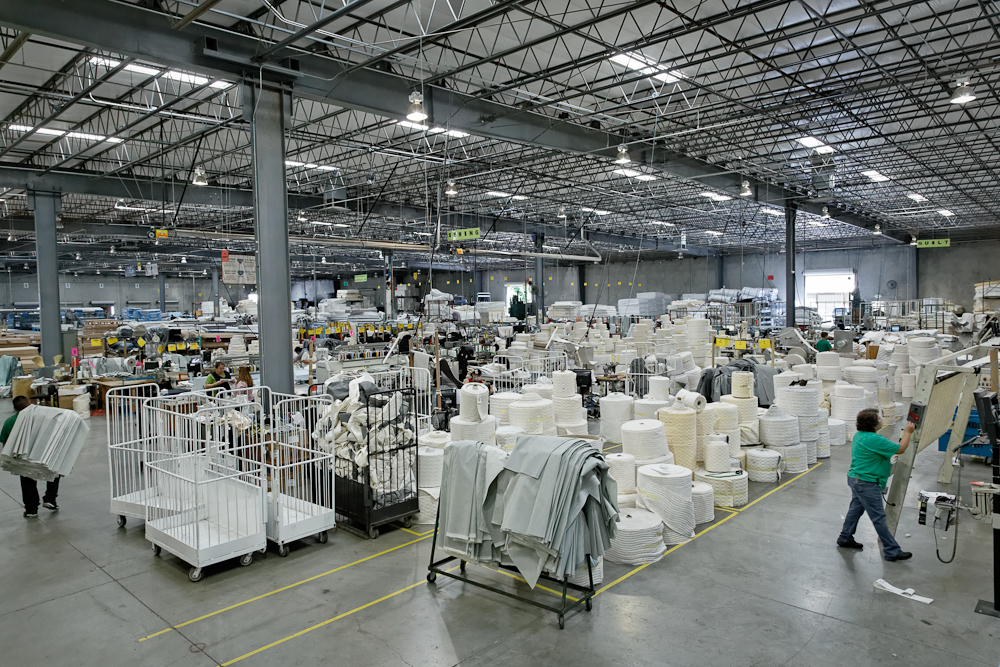 |
| Pleasant Mattress Factory |
Pleasant Mattress contacted me when they wanted to add color labels and tags into their operation. According to Russell Raymond, Director of Plant Operations, “In our facility, we mark each law tag we sew into our mattresses with a highlighter. Each day of the week is added to each tag in the color of the group of orders. These colors markers make it easy to track our products through production. But it takes time to mark all of these tags; and opens up the possibility of errors. We needed to automate this process, using our existing Easy Label software.”
To test the feasibility of this solution, I shipped a C3500 demo printer and labels to Pleasant Mattress to test. Working with IT, we added the demo printer to their network and adjusted the Easy Label templates to add color based on the order number. We made this change in a very short time.
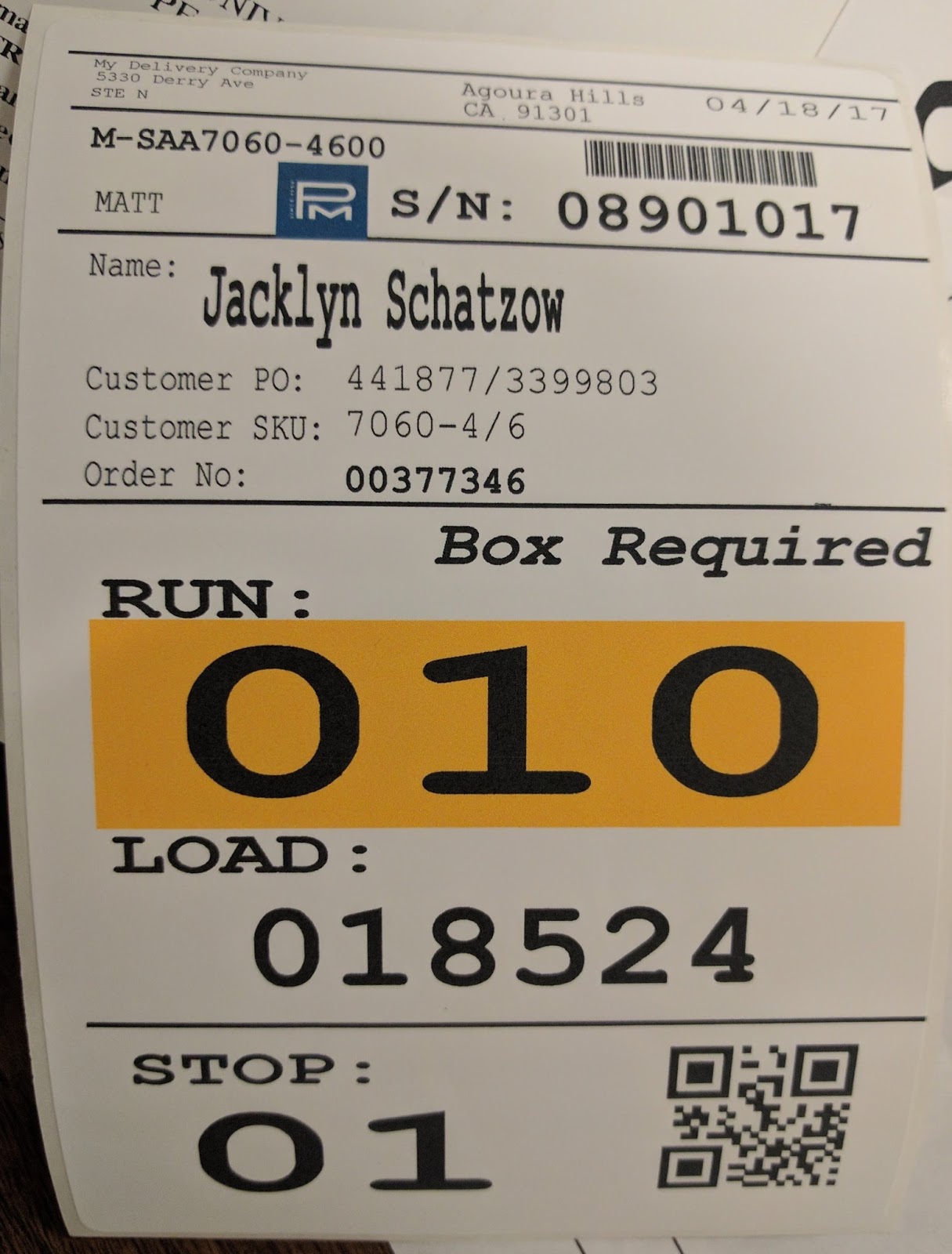 |
| Pleasant Mattress Test Label |
In addition, we tested sewing into the mattresses some of the 5 mil poly tags we sell, and they seemed to work great.
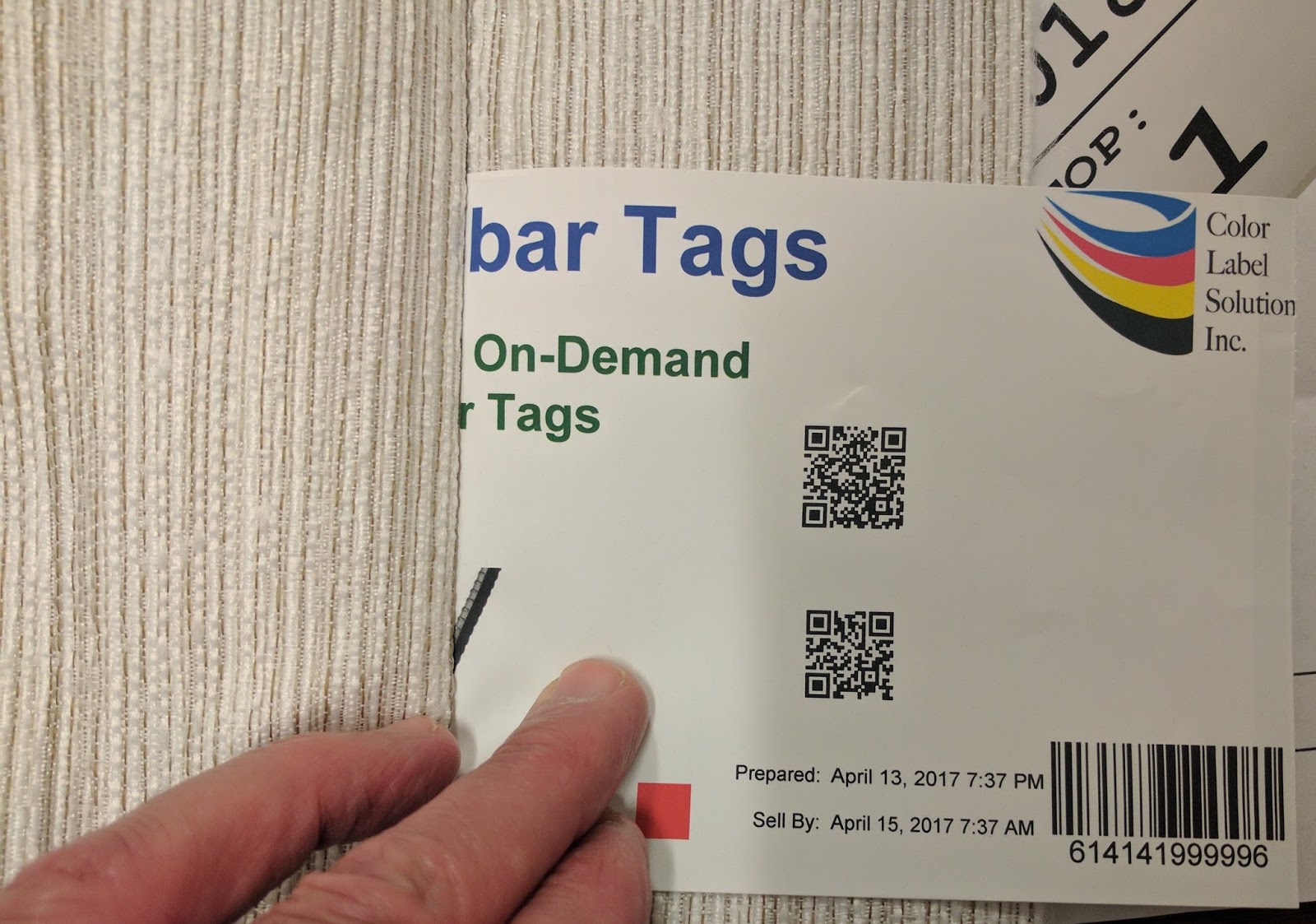 |
| Tag Sample Sewn Into Fabric |
Based on this test, Pleasant Mattress purchased C3500, tags and labels; and deployed them in their operation.
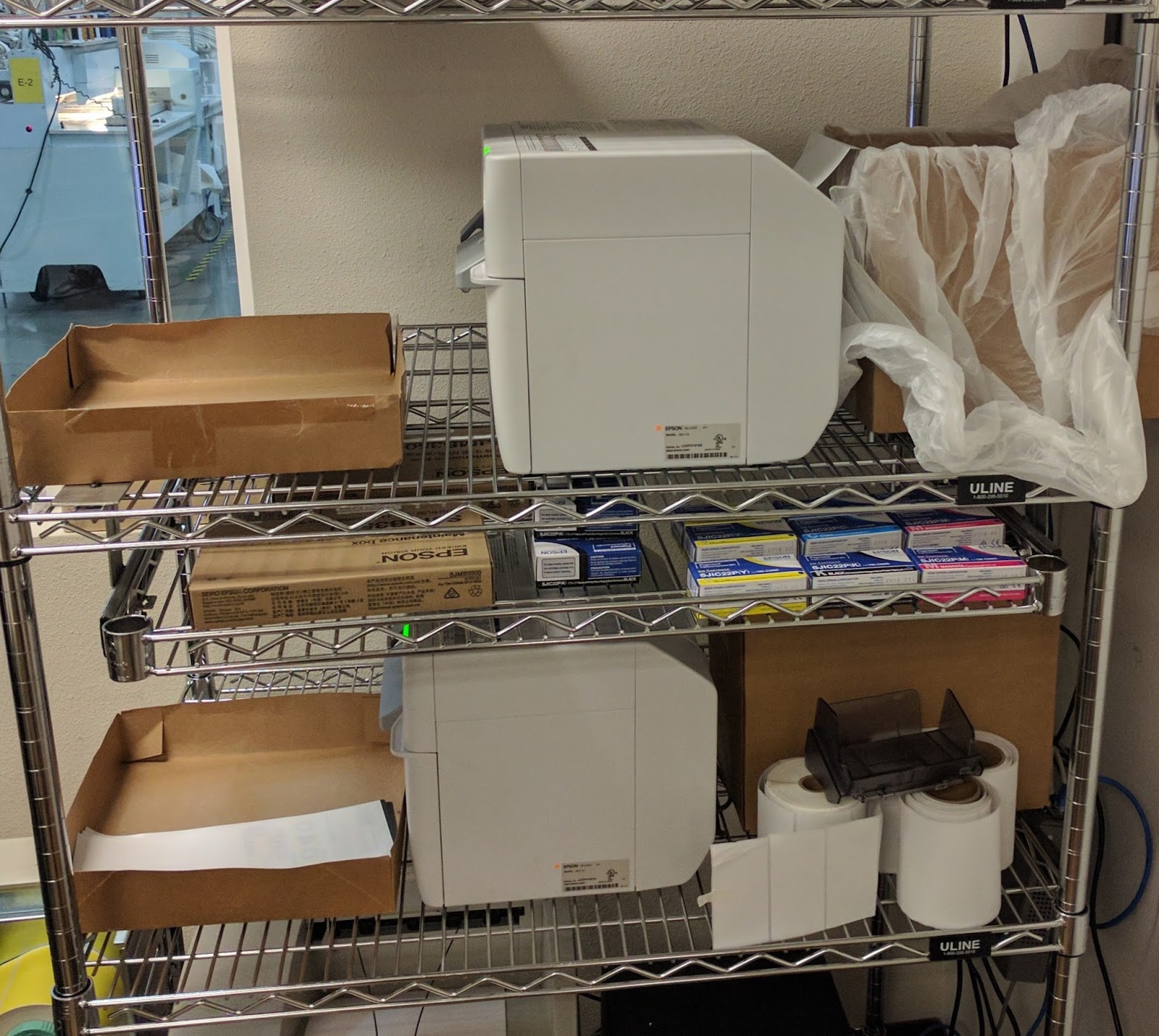 |
| C3500 Printing 4″ x 12″ Tags |
These printers produce the 4” x 12” law tags. The letter represents the day of the week of the production; and the color represents a group of orders.
 |
| On-Demand Color Mattress Law Tag |
And these tags are sewed into the mattress during production:
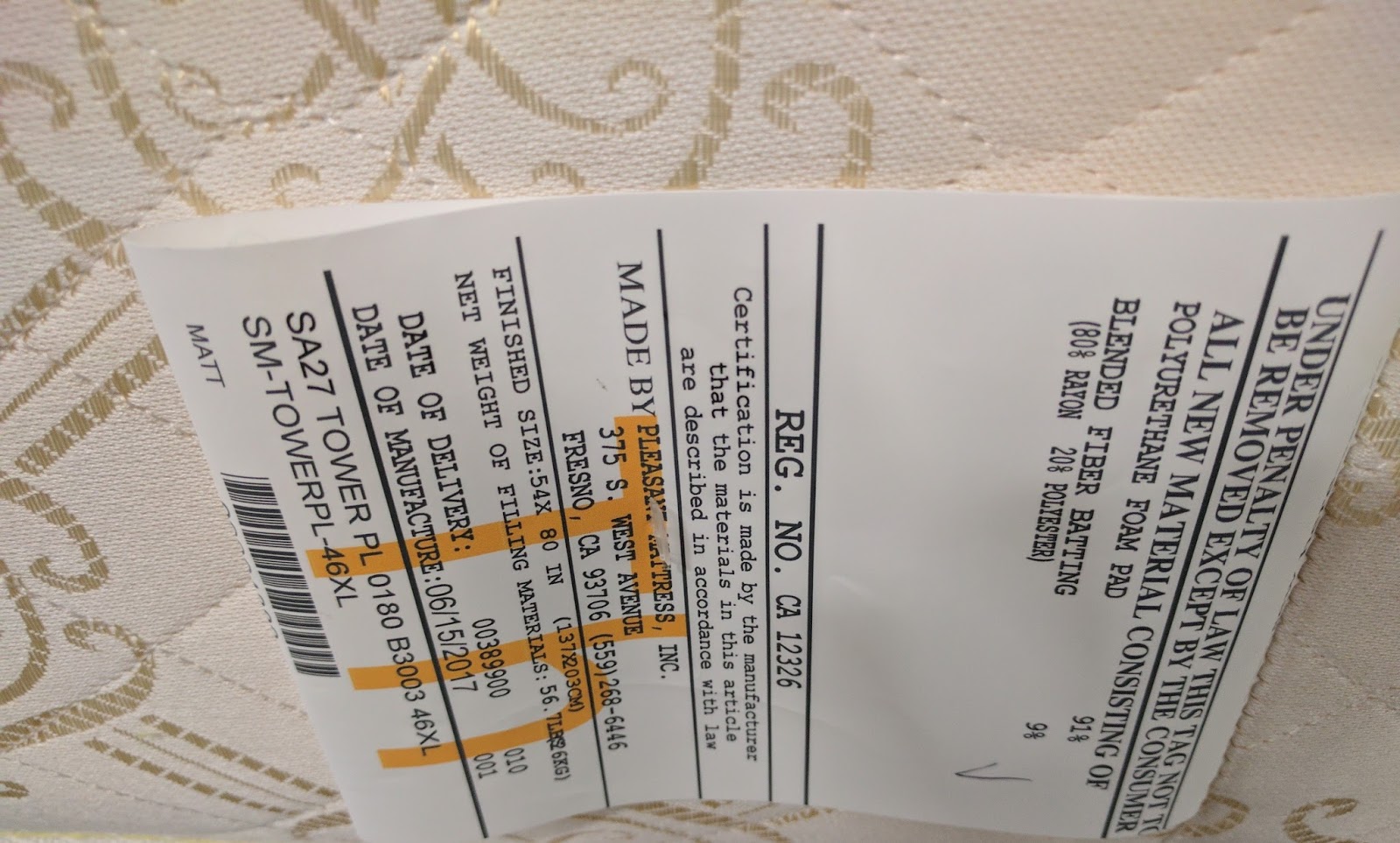 |
| Color Tag Sewn Into Mattress |
Once packaged, Easy Label generates a color-coded label for each mattress to represent a shipment of a group of orders.
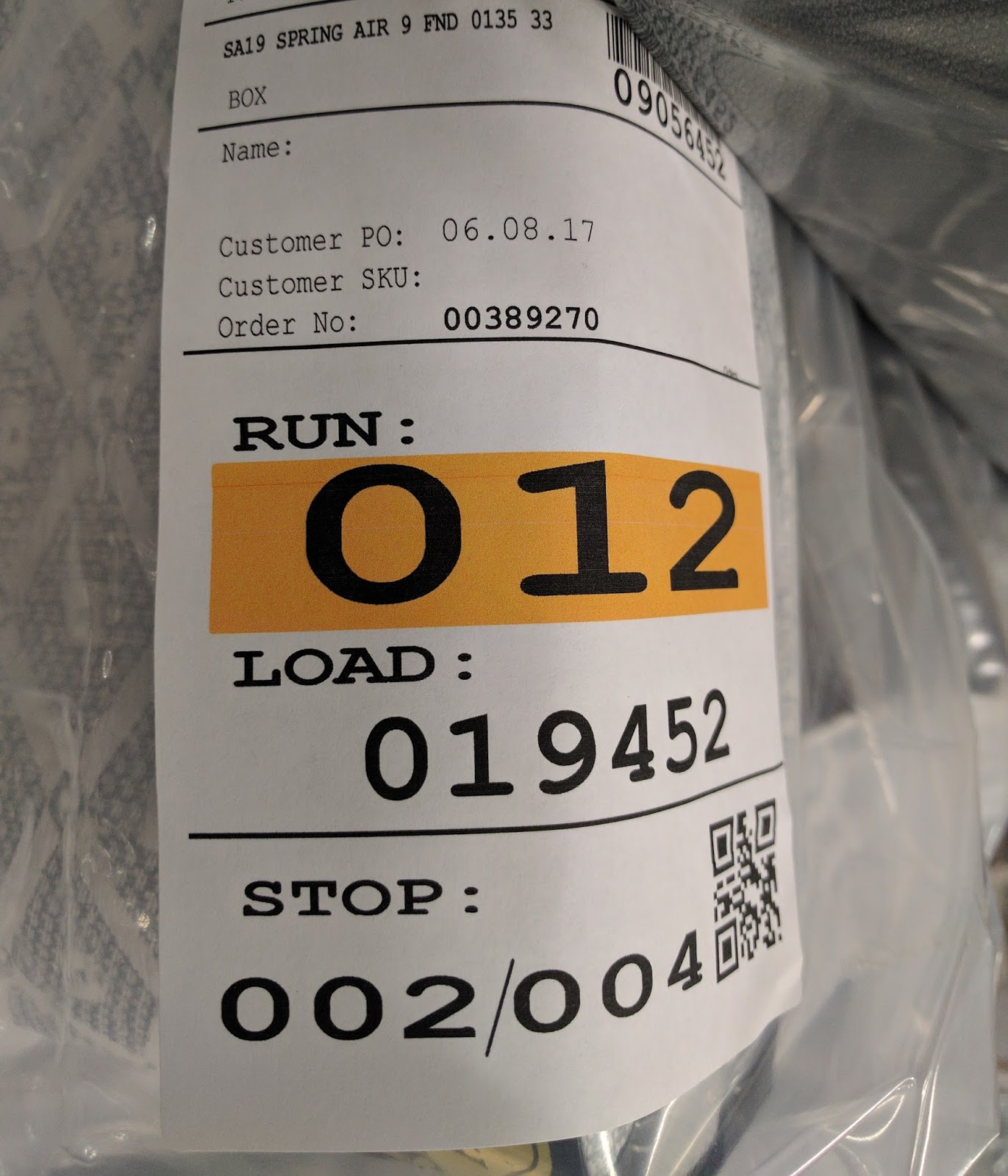 |
| On Demand Color Mattress Label |
And once the label is on the finished product, Pleasant Mattress uses the color-coded label for staging and loading of orders.
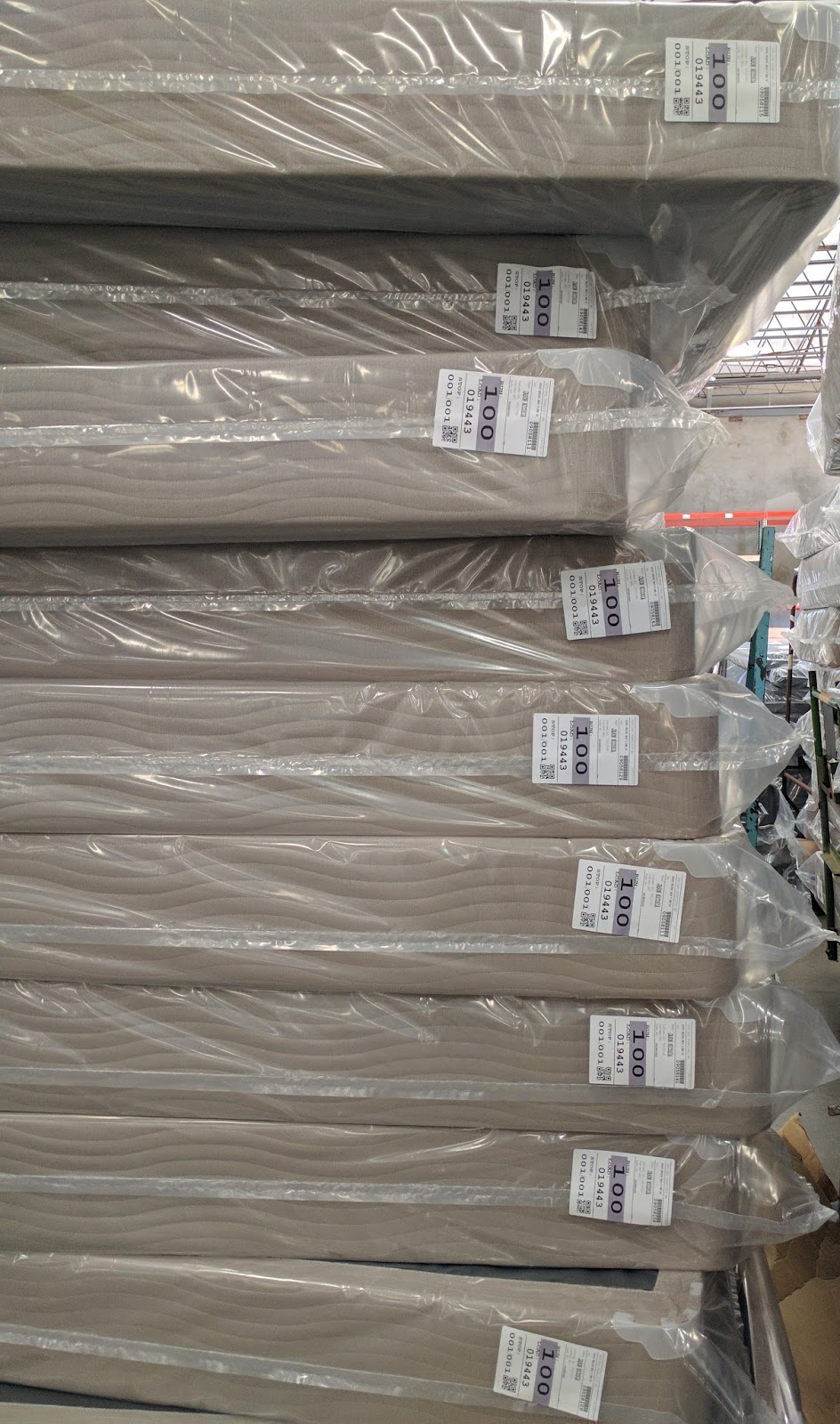 |
| On-Demand Color Labels for Staging |
According to Russell, “the color codes prevent potential errors. If a shipping error is made, the incorrect color sticks out. The color-coding labels in our operation saves us time and potential costs.”
The color-coding solution deployed at Pleasant Mattress reminds me of one of the first stories I completed on the C3500, many years ago at Tubelite:
From my perspective, two aspects of the Pleasant Mattress C3500 deployment make this solution stand out. Neither have anything to do with the printer.
First, Pleasant Mattress understood how color would improve their operation, and they found a way to automate this component as part of the solution.
Second, implementing an automated color printing solution was easy. Using their existing label printing software, Easy Label, Pleasant Mattress’s IT manager understood the application sufficiently that making the change was easy.
I’m exciting by the on-demand tag and label solution implemented by Pleasant Mattress, as it shows how color creates value in an operation. Contact us to discuss how color can improve your operation as well.
Guy Mikel
855-962-7670
No Risk Label Printing
This post is from guest blogger, Tim Semic, Support Manager from Color Label Solutions.
Would you like to provide a way for your employees or vendors to print labels that meet your exact specifications without the risk of accidentally making changes?
How about printing labels from multiple computers?
Printing labels from a web browser? Even across the internet?
 |
| BarTender Print Portal |
If so then please read on…
Seagull Scientific offers two Bartender companion applications that enable you to print labels from a simple read-only interface. Those applications are Bartender Print Shop, and Bartender Print Portal.
The user interface is basically the same between the two products, while the configuration is more complex for Print Portal.
Bartender Print Station is bundled with every edition of Bartender, while Bartender Print Portal is only bundled with the Enterprise-Automation edition.
Print Station provides a mechanism for printing labels within an easy to use read-only interface. This configuration prevents employees accidentally changing or deleting labels. Consequently, some companies may wish to have a “design” computer using Bartender Designer, and then another computer or two set up for print-only label printing.
 |
| BarTender Print Station |
Print Station can be configured for full-screen and secured; effectively turning a computer into a print kiosk. This type of kiosk would be great for printing badges, shipping labels, or static labels in a secured computer interface.
To learn how to configure Print Station, watch this video:
Configuring BarTender Print Station
To learn how to configure Print Station, watch this video:
Configuring BarTender Print Station
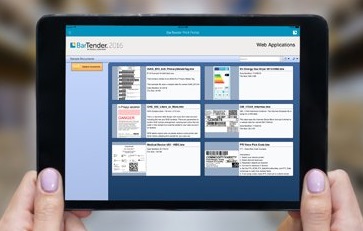
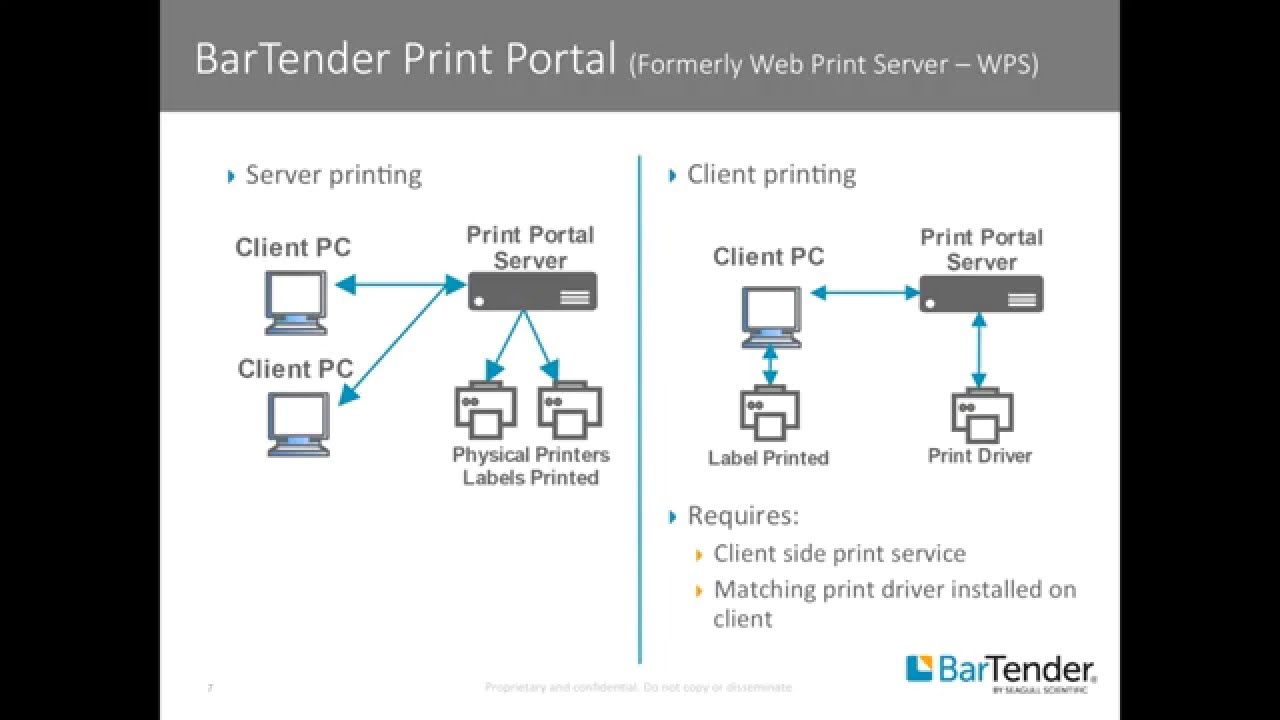
Print Portal offers different options for risk free label printing. Elizabeth Sinclair of Seagull Scientific says, “Print Portal includes many features that make locating and printing documents quick and easy. Running on a web server, BarTender documents are available from any computer connected to the internet. With built-in security measures, administrators of Print Portal can require users to login to the site, and assign user permissions granting access to specific documents on the server. Print Portal’s intuitive interface lets users quickly locate the document they need to print and send it to the printer with a simple “click” operation.”
 |
| BarTender Print Portal |
If interested in learning how to configure Print Portal, see this YouTube video.
As Print Portal is more difficult to configure, the video is long; but goes through every step in the process to get your users, either internal employees or outside vendors, printing the labels you need.
To operate Print Portal, you’ll need an Enterprise Automation edition of Bartender; which is licensed based on the number of label printers you require.
Which edition is right for me?
The number of computers required to print labels will dictate which companion application to use. If you wish to provide label printing in a read-only interface from more than three computers, purchase the Enterprise Automation edition of Bartender. You will get security, ease of label printing, and some pretty heavy bragging rights too!
And contact us to help you configure Print Portal to work for you and your company. Happy Printing!
Tim Semic
855-962-7670
“GE”–NOT “G”
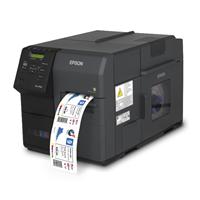
As of August 1st 2017, Epson will no longer sell the C7500G printer. They announced end-of-life for this part number earlier this July.
 |
| C7500G |
I first wrote about the C7500G in July of 2015:
And wrote about one of our first customers, NIC Industries, using the C7500G:
Instead of the C7500G, Epson will sell the C7500GE. The “GE” is a printer bundle: including the C7500G printer, a single user license of Wasatch SoftRIP, one year of on-site service for the printer, and 6 months of free support for Wasatch SoftRIP. Learn more about the GE printer bundle, including the Wasatch RIP here:
With the SoftRIP, you get better color control; especially important when trying to color match. For example, you may use it to match specified Pantone numbers, to match more closely the color printed on a label to the original artwork. However, you don’t have to use the SoftRIP to print to the C7500G. You can print to the C7500G from most if not all Windows based applications.
 |
| Wasatch SoftRip Label Edition |
Here is information from Wasatch on their Label Edition:
For an incremental $955 for the C7500GE versus the C7500G, you get 1 year of on-site service valued at $1,029 and the Wasatch SoftRIP valued at $1,200. Even with just the on-site service, the GE bundle is a great deal.
Personally, I believe the SoftRIP is best suited for professional printers; those individuals experience with using other RASTER IMAGE PROCESSORS (RIP) from other printing applications. Although not difficult, using the RIP is different than printing directly from a PDF and other Window-based software programs.
So beginning August 1st, you’ll be able to purchase only the “GE” version. But some of you may not want or need the on-site service or the RIP software. If so, please contact us know to order your C7500G before the price goes up. Or purchase from our store here:
Don’t forget to add 2 years of Extended Warranty with the “G”:
And a spare set of ink:
And a spare maintenance kit:
If you prefer to get the C7500GE with the one year on-site service and Wasatch SoftRip, purchase in our store here:
Or contact us if you have any questions around printing color labels on-demand.
Guy Mikel
949-680-7840