This discussion below is an excerpt of a client discussion we have prior to supplying equipment. We don’t have to do this; we could be like the ebay or Alibaba or “one stop every machine under the sun supplier” but we are not as we like to think of ourselves as a supplier invited to […]
Monthly Archives: June 2017
L801 Full-Bleed Label Printing
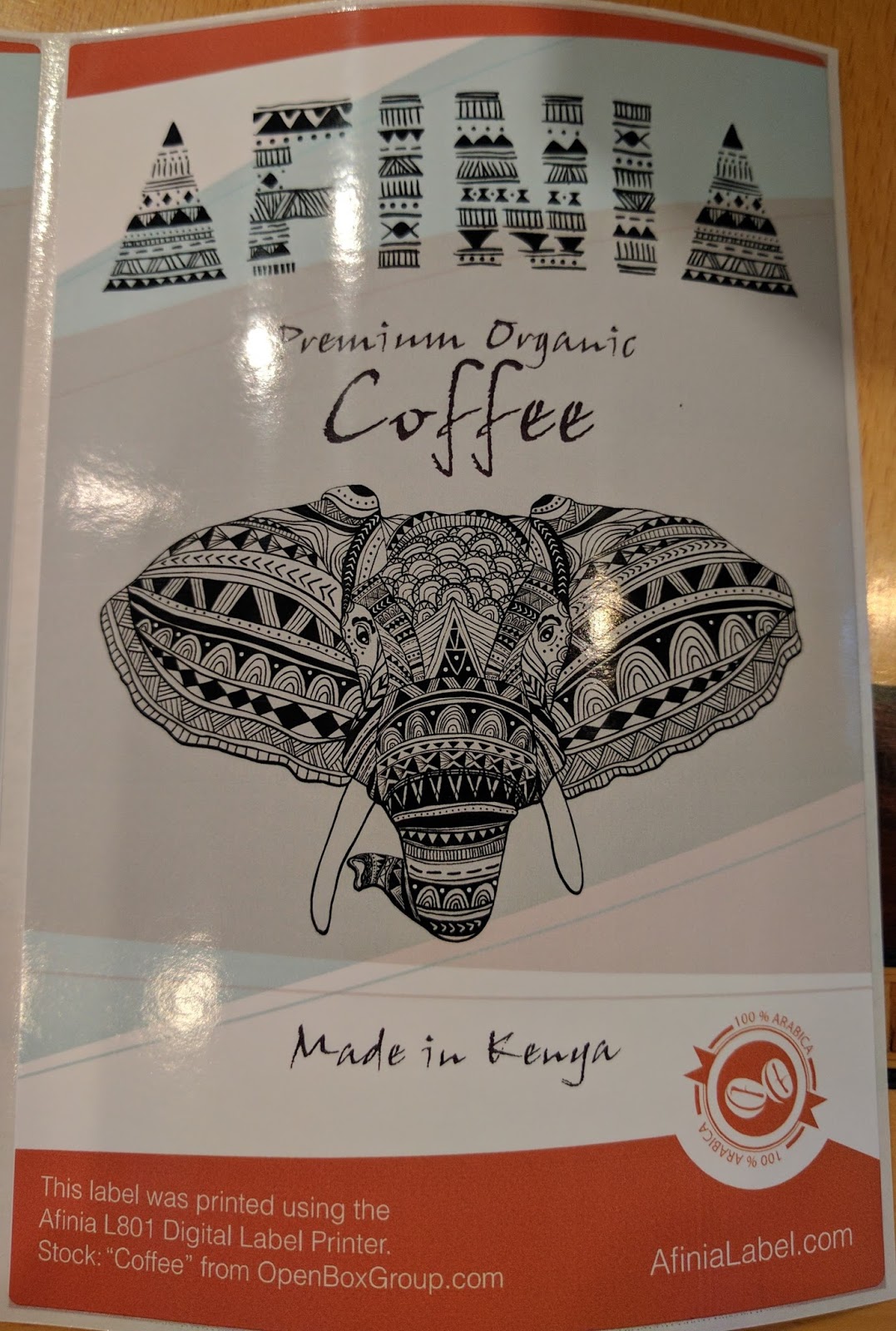
While attending the recent Afinia reseller meeting, I learned about a relatively new feature built into the L801 printer driver, which makes full-bleed printing relatively easy. Let me tell you more.
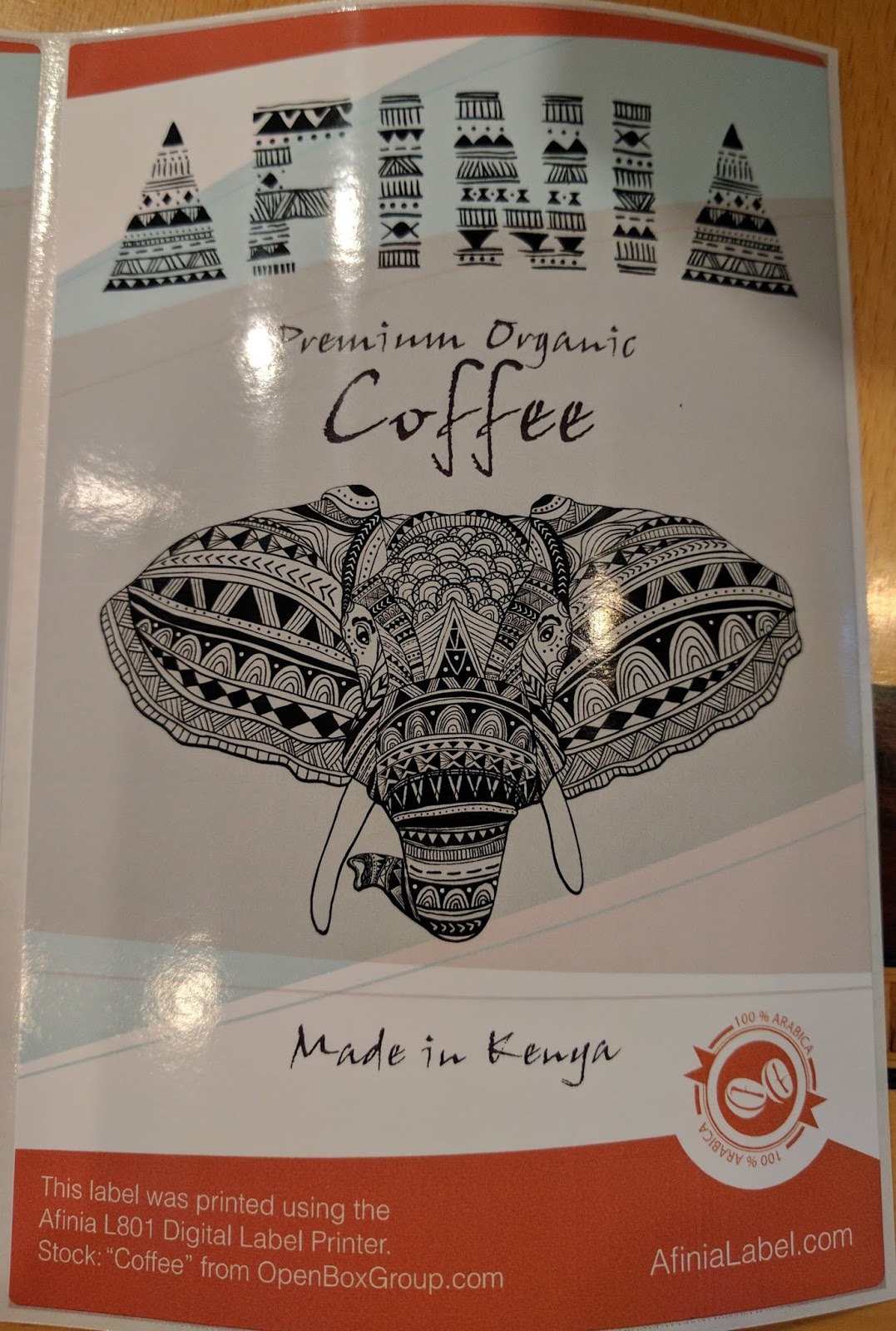 |
| L801 Full-Bleed Printed Label |
If this company is new to you, Afinia Label (www.afinialabel.com) was founded in 2009 to offer specialty printing solutions with best-in-class support at accessible prices. Their parent company, Microboards Technology, has been offering media duplication products since 1989. This background gives Afinia a rock-solid foundation of technical expertise, and decades of experience providing the best possible customer service.
In the past, I’ve written about one of their new products, the L301:
and we’ve sold some of their other products. Afinia’s major product is the L801 which uses the Memjet print engine:
The L801 prints beautiful labels up to 8.5” wide; especially using the dye-based inks. Although the dye inks are not sufficiently durable for many applications, they produce a very vibrant color, which is required for many prime label applications where many customers want to print full-bleed.
But full-bleed printing can be difficult on die-cut labels. You must get some ink on the exposed liner; but not too much. Too much ink on the liner may transfer to the label itself. I written about full-bleed label printing in the past. Here is a recent post covering full-bleed printing.
Now in the driver, Afinia has added to their driver controls that make it easy to print full-bleed labels. To cover labels 100% with ink, you need to first know the orientation of the labels. To know the “language” that Afinia uses to describe the label orientation.
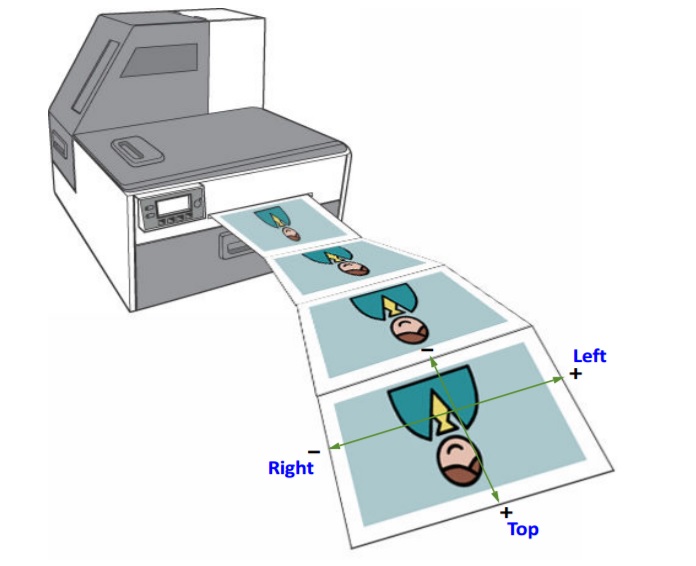 |
| L801 Label Orientation |
The leading edge of the label (the edge that comes out of the printer first) is described as the “Top”; making the trailing edge of the label the “Bottom”. Standing behind the printer, you’ll find the “Left” and the “Right” edges. When facing the printer, the left and right are reversed (naturally).
When printing full-bleed, Afinia recommends making the size of the label in the driver slightly larger than the actual label size. I’ve used 0.03” as my standard recommendation since I’ve written this article on the LX2000:
Once the print size is set in the driver, Afinia recommends printing a few labels to examine the initial print output. You need to ignore the first label, according to Afinia, to enable the settings to be completely implemented.
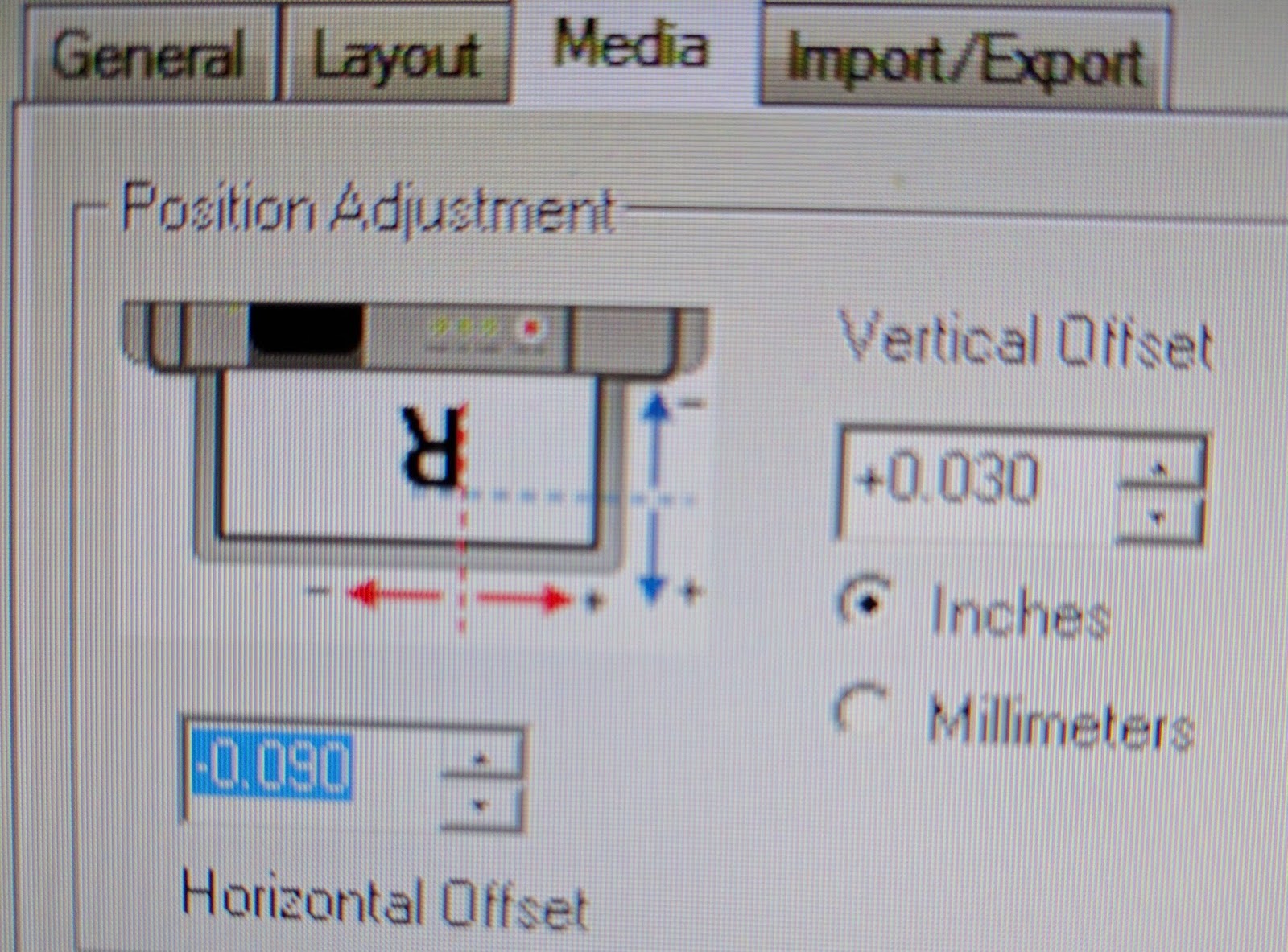
Once printing, you can see if the image need to move up or down; or right to left to better fit. To move the image in the template, it’s simple to do using the position adjustment.
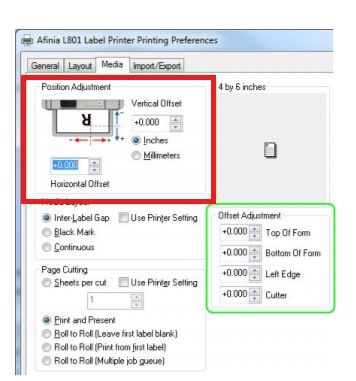 |
| L801 Position Adjustment |
The position adjustment provides the movement direction for positive or negative inches or millimeters you can adjust the image. This diagram makes it very simple to center the image correctly on the label. Again the idea is to have only a very thin line of ink on the liner; covering the edge of the label completely. Here is the setting we used during our training:
 |
| L801 Position Adjustment |
Once this setting is establish, Afinia recommends printing a few more labels.
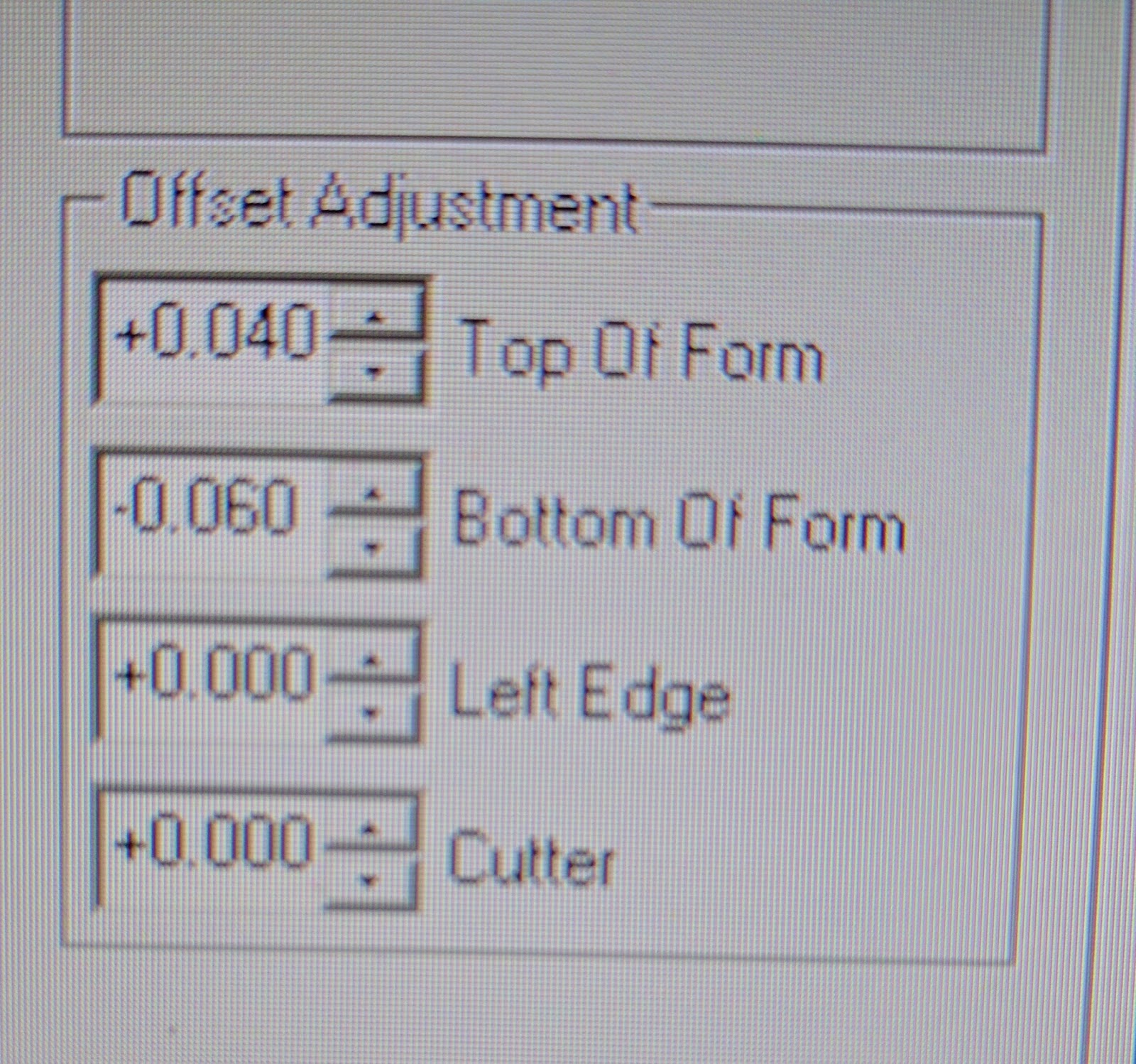
If you still have an edge or two that is still slightly off, you can make an “offset” adjustment on a single edge. This setting basically stretches the edge slightly; just enough to eliminate a thin ribbon of white label showing; or to reduce the overprint slightly. Again, here is my setting during training:
 |
| L801 Offset Adjustment |
It’s a genus idea that makes printing full-bleed easier to do.
According to Mike Atkins, National Sales Manager for Afinia, “The low cost of ink and great quality of color output from the L801 has made it one of our most popular options for prime label applications. However, printing edge-to-edge has certainly presented a challenge to users in the past. These latest updates in the driver have opened up what our customers can do with the L801, and the response has been overwhelmingly positive.”
If you need to print full-bleed labels; but don’t want to spend a lot of time adjusting the print, contact us to help you with the L801 color label printer from Afinia.
Guy Mikel
855-962-7670
On-Demand Color Badges
Founded in 1976, CompuSystems (https://www.compusystems.com/) has enjoyed many years as a major registration service provider for the trade show industry. They offer integrated software that meets the specific needs of their clients, creating an ecosystem that fosters the buyer and seller relationship.
Their goal is to establish long lasting relationships with their clients based on trust, a shared success and a commitment to quality. Their vision is to have every customer recommend CompuSystems. To succeed, CompuSystems is dedicated to making investments in quality products and services to support their customers now and in the future.

When Jeremy Kubik, Director of IT for CompuSystems, and I first communicated, he was looking for an alternative to the Xerox Color printers they were using. Jeremy said, “We’re looking for an alternative to the Xerox sheet fed printer. We want to use some type of continuous badges; many of our badges are 4” x 12”. In addition, we need a smaller footprint as our registration desks have limited space. Plus we need to have the capability to print on-demand and in color.”
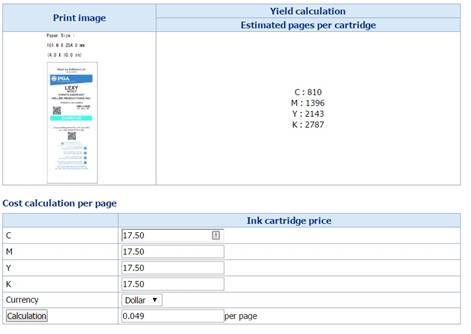
Based on our discussion, I sent samples of both 10 mil paper and 8 mil poly badges designed to work in the C3500. The poly material is more expensive than the paper; but prints great and is very durable. Ink costs are less, generally, compared to laser.. On the sample artwork provided by Jeremy, I estimated the ink cost for the C3500 printer at $0.049/badge. Not bad for a 12” tag.
 |
| 4″ x 12″ Badge Ink Cost-C3500 |
As CompuSystems consider alternatives, I found a new 8 pt tag paper tag material that was stiffer and printed great. Plus this material was very affordable. With this new material, Jeremy created a new 12” tag design, set up to print 2, 4” x 6” badges separated by a crease. With this design, the C3500 can print a two-sided badge.
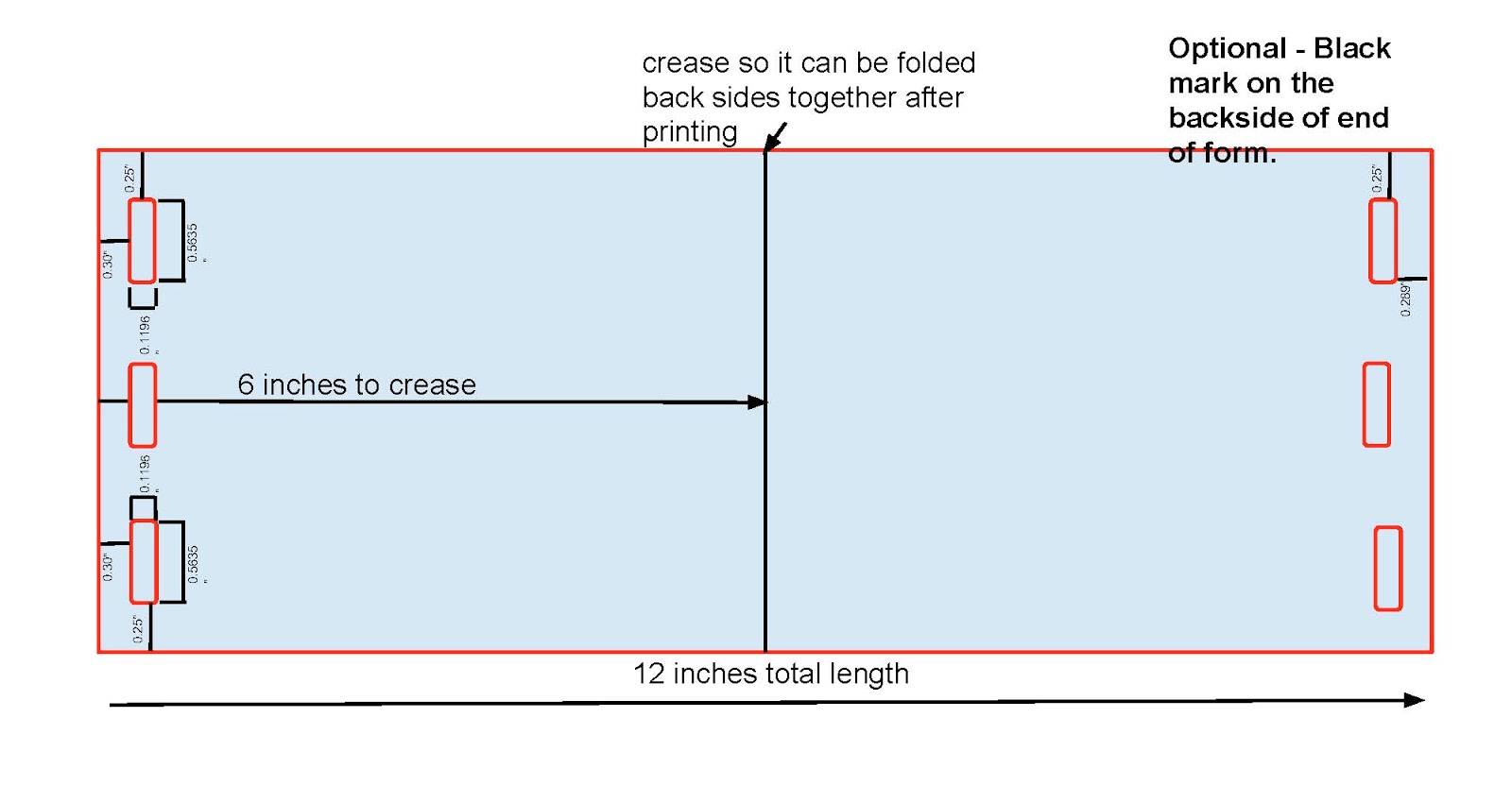 |
| 4″ x 12″ Badge Design |
Based on the available materials, running costs and printer cost, CompuSystems purchased C3500 printers for their badge printing.
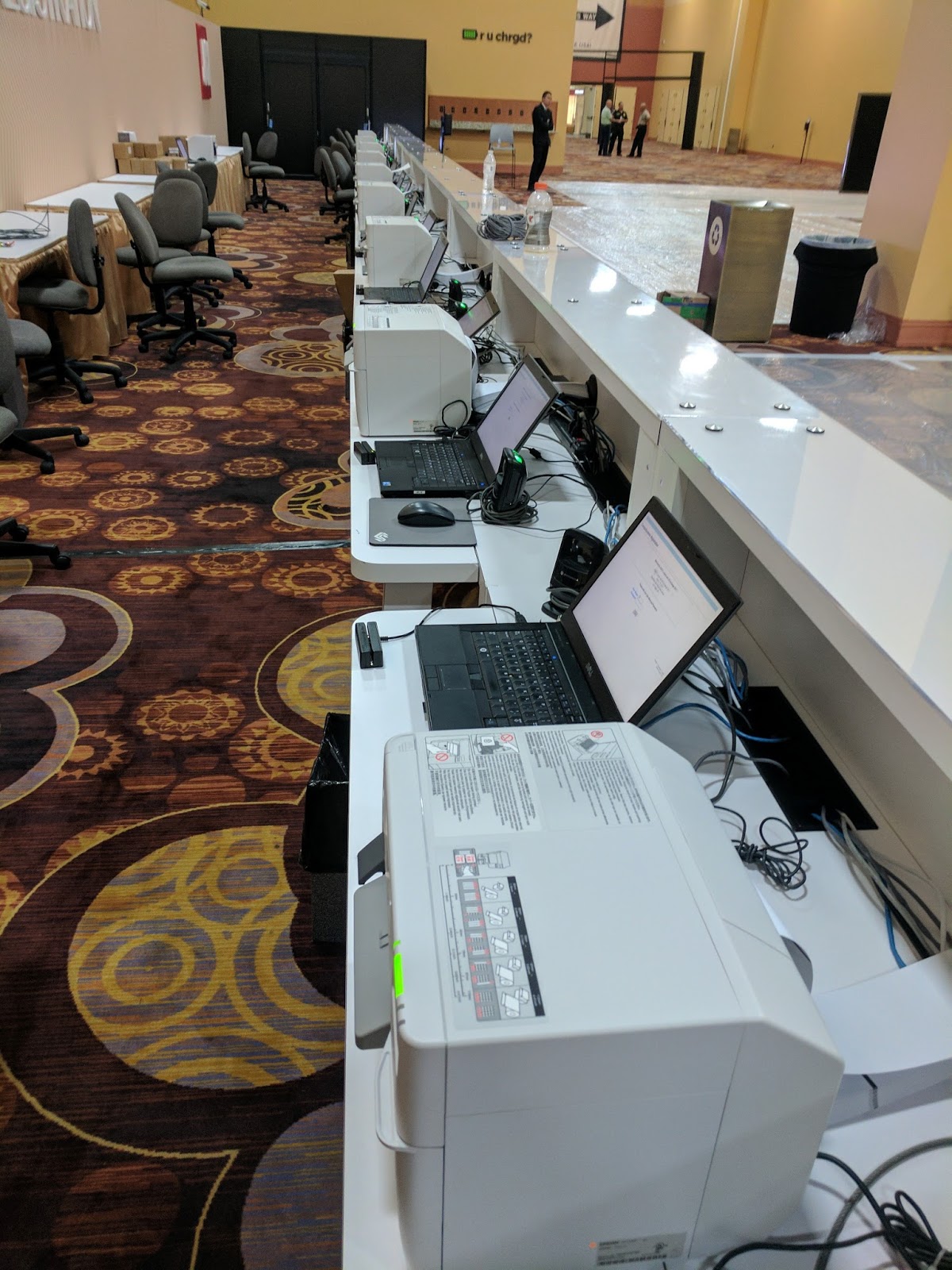 |
| C3500 Badge Printers |
Even more interesting to me, is how CompuSystems deployed the printers in an overall solution. First, how the printers were deployed. According to Jeremy, “to install and configure the printer drivers, I figured out how to accomplish this task via a batch mode. This step was important as every badge pickup desk at each event uses a different server. The batch driver deployment makes it easy for us to set up an event.”
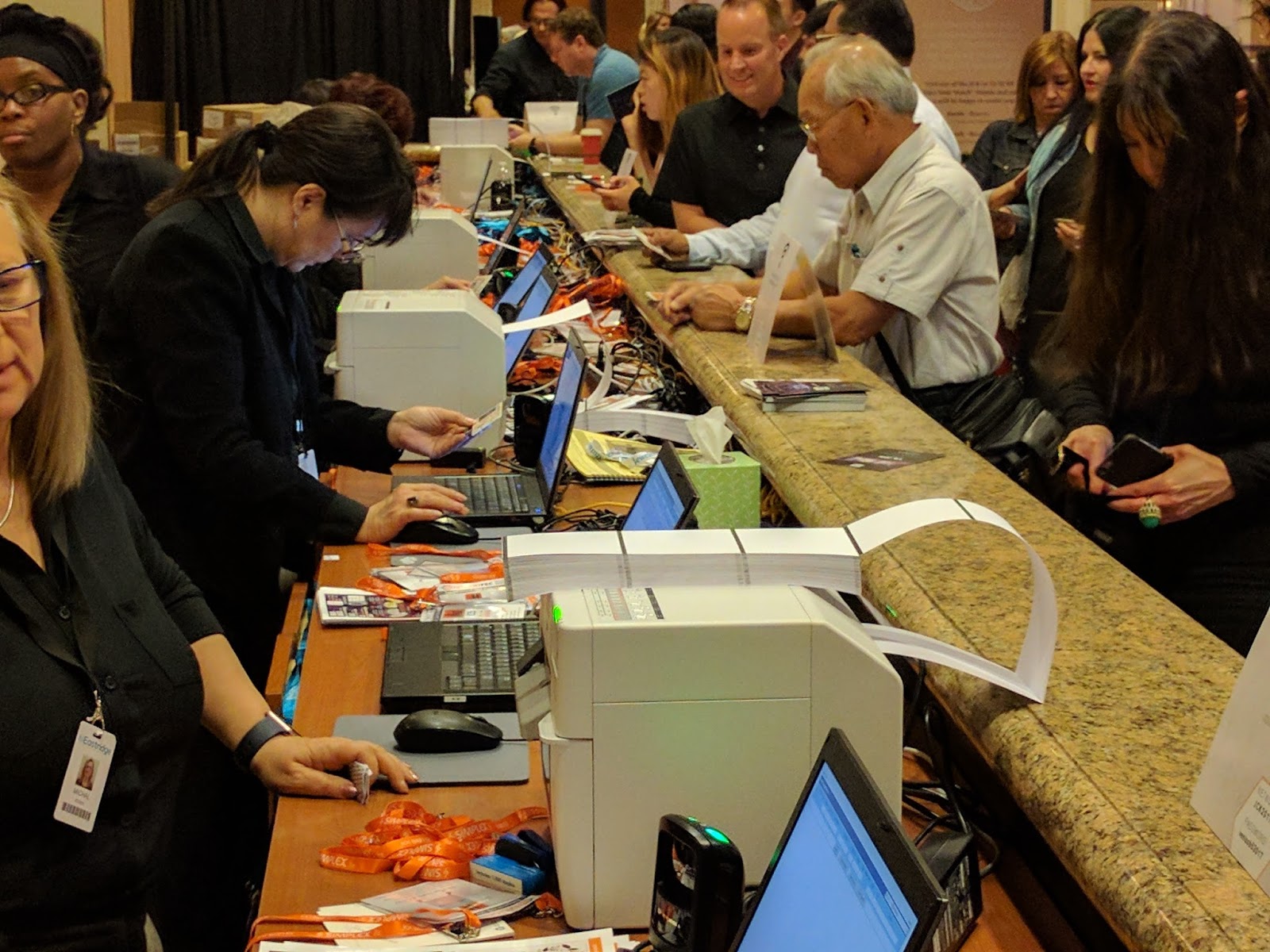 |
| C3500 Badge Printers |
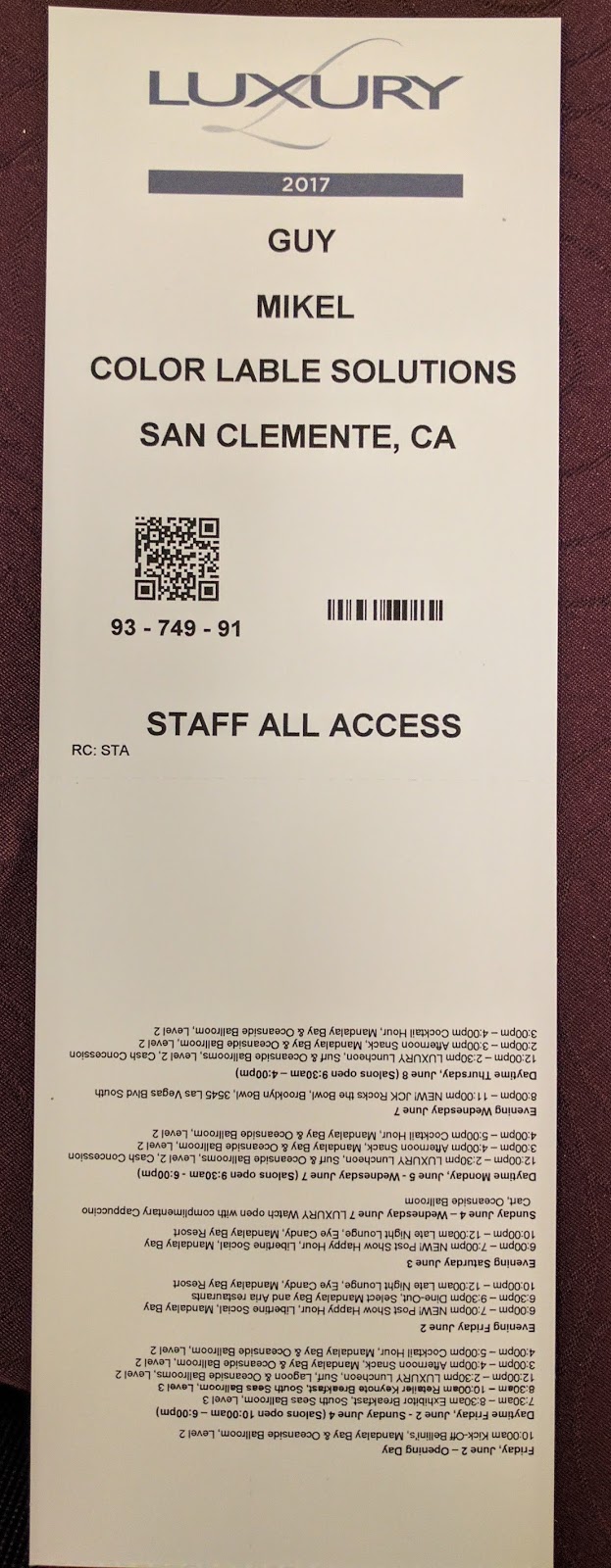
In addition, CompuSystems uses BarTender to create the templates and print badges. According to Jeremy, “we use BarTender to print our badges. Our Unix-based registration application looks up each person in the database and “prints” via port 9100 to the local BarTender server. BarTender then adds the variable information to the template to create each individual badge. We’re printing hundreds or even thousands of badges at a time with variable information. All that information is then synchronized with our main servers. BarTender works great for us.”
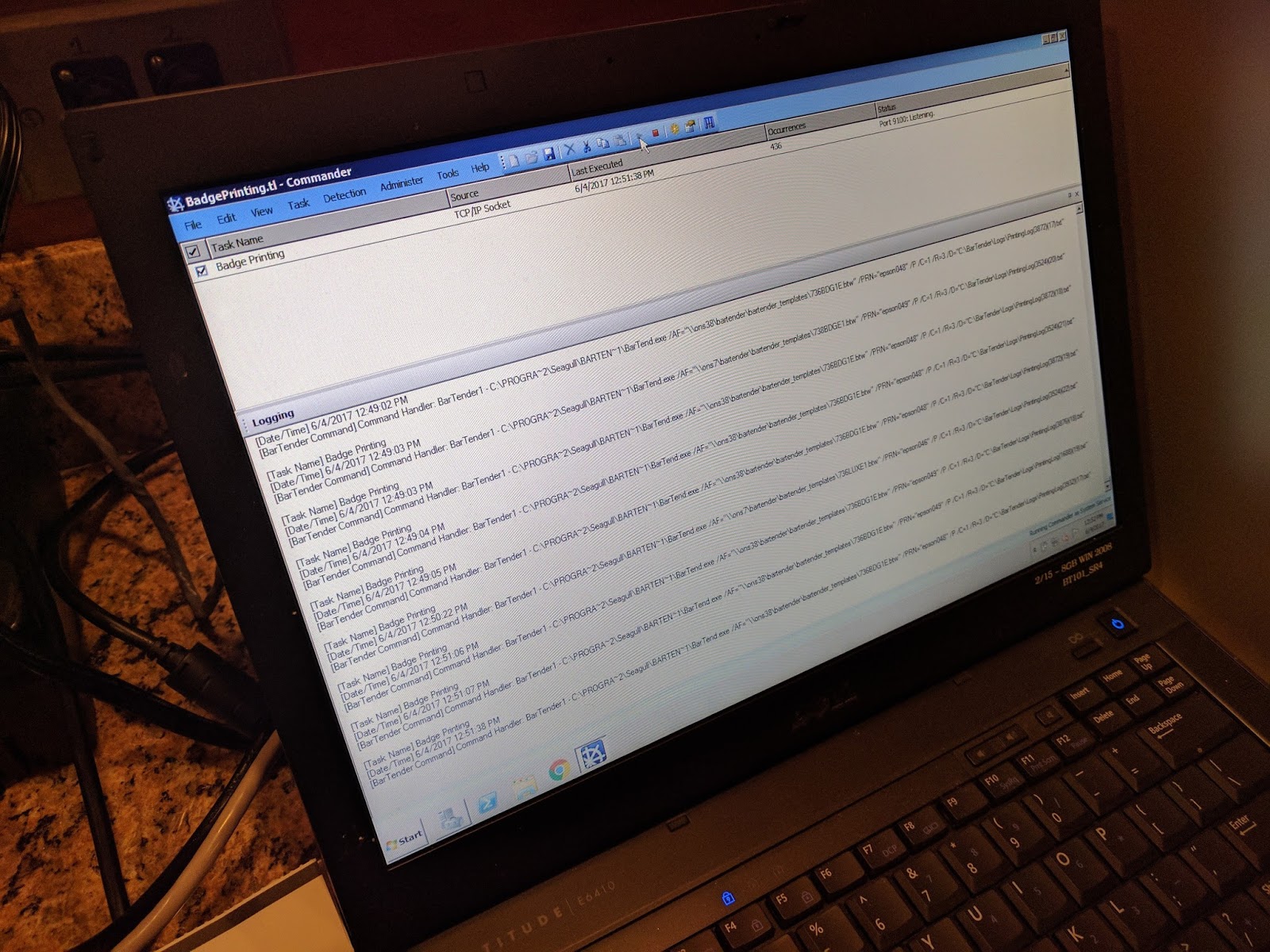 |
| BarTender Badge Printing |
 |
| C3500 Badge |
Jeremy and CompuSystems has built a great solution for printing color badges on demand using the C3500 printers and BarTender. Jeremy says “we’re very happy with the performance of the C3500 in our first event. They’re working great; printing very fast. We especially like the short time to first print. Plus the print quality is sufficient for our situation.”
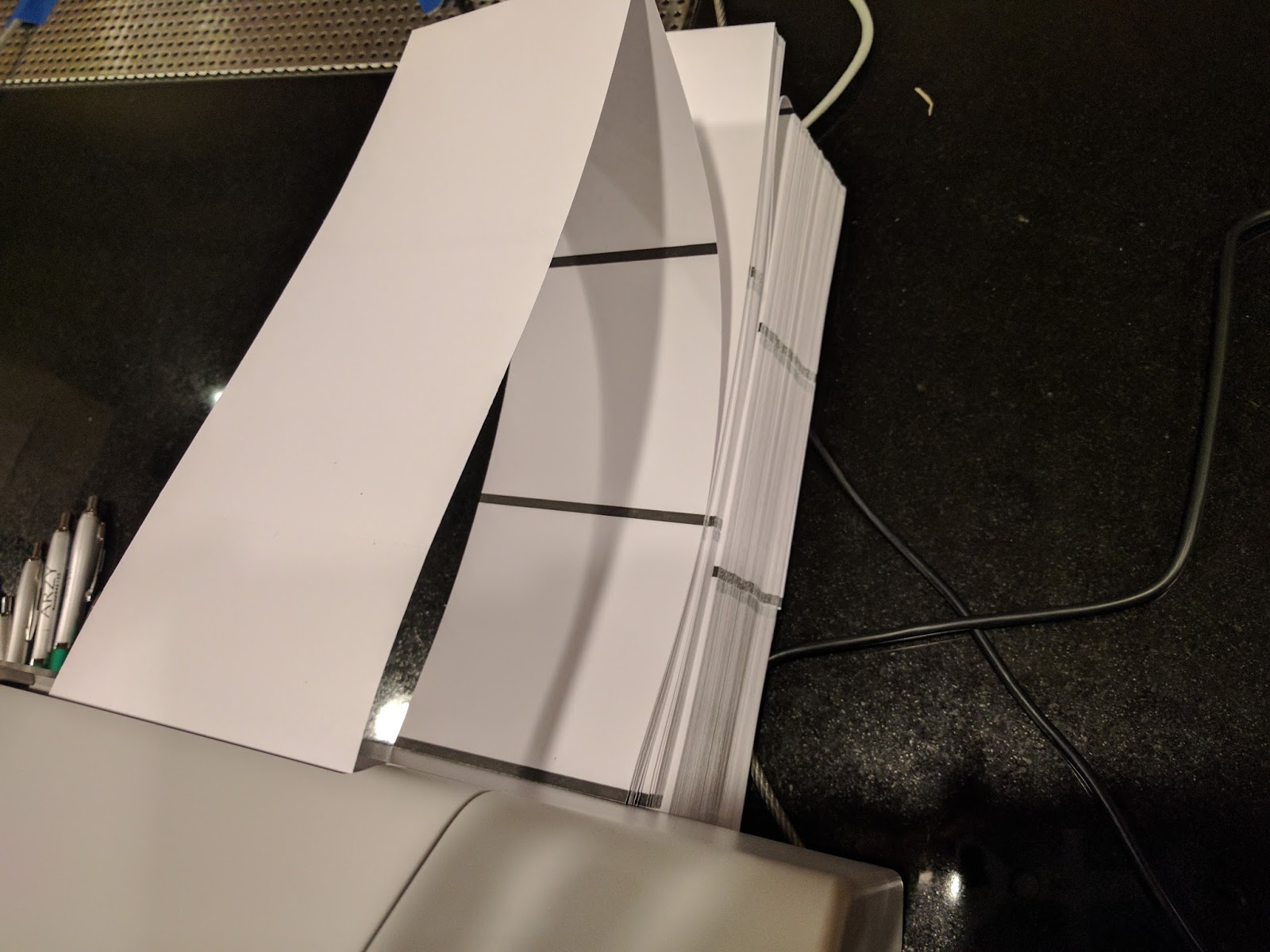
In addition, we’ve found badge material, both paper and poly that print great and is affordable.
 |
| Fanfold Badge Tags |
If you need to print event badges, contact us. We’ll help you move to printing color badges on-demand, saving you time and money.
Guy Mikel
855-962-7670